
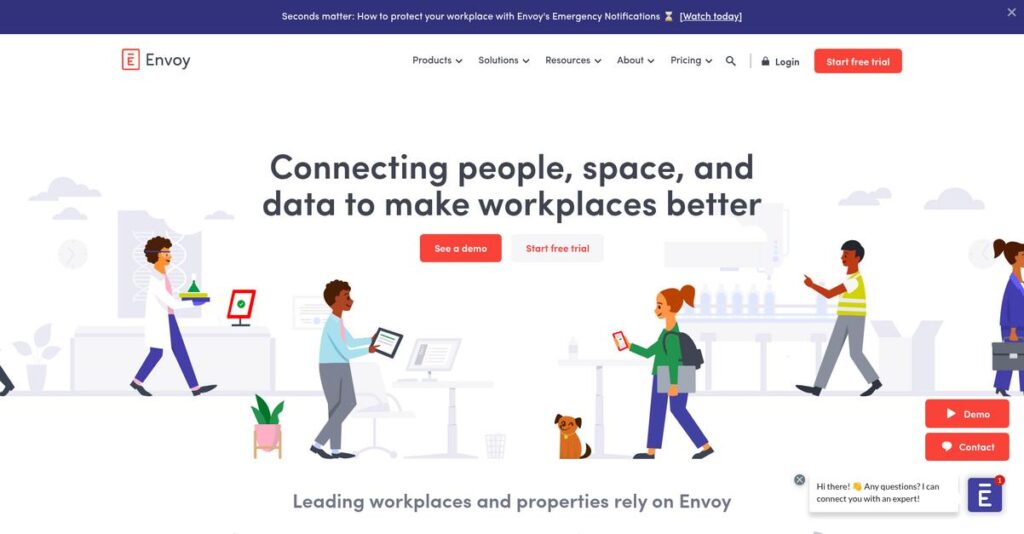
Juggling office logistics shouldn’t slow you down.
If you’re dealing with the daily mess of visitor sign-ins, desk hunting, lost packages, or room booking chaos, you know why finding the right workplace software is critical.
But let’s face it—manual processes constantly eat up your time and focus, turning what should be simple into one headache after another.
Envoy tackles these pain points by unifying your front desk, desk reservation, meeting room scheduling, and delivery management—all in one modern, easy-to-use platform. Through my deep dive into Envoy’s latest updates, I’ve seen how their automation can cut down wasted time and office confusion.
In this review, I’ll show you how Envoy can bring order and efficiency to your workspace, helping you move past daily admin headaches.
In this Envoy review, you’ll discover the key features, real-world strengths, pricing details, and how Envoy compares to other leading workplace platforms.
You’ll walk away knowing exactly what features you need to finally fix your office operations—so you can make your decision with real confidence.
Let’s get started.
Quick Summary
- Envoy is a workplace platform that streamlines visitor sign-in, desk and room booking, delivery management, and workplace analytics.
- Best for organizations managing hybrid work models with frequent visitors and complex space management needs.
- You’ll appreciate its polished user interface combined with deep integrations and automated workflows that ease workplace operations.
- Envoy offers tiered pricing with free and paid plans, plus free trials, though costs can rise with larger user counts.
Envoy Overview
Envoy has been helping companies manage their physical workspaces since 2013. From their headquarters in San Francisco, their core mission is to unify the chaotic office experience for everyone involved.
I see them primarily serving technology companies and corporate offices navigating complex hybrid work models. What sets them apart is their holistic view of the workplace journey, connecting visitors, employees, and even package deliveries.
Their recent launch of enhanced workplace analytics is a timely move. Through this Envoy review, you’ll see how this push toward data helps you make much smarter, cost-saving real estate decisions.
Unlike point solutions that only handle desks or visitors, Envoy’s value is in its connected platform. I believe their pioneering visitor management system remains the gold standard that others are judged against.
- 🎯 Bonus Resource: While we’re discussing office efficiency, understanding contract lifecycle management is equally important for streamlining your approvals.
They work with thousands of organizations globally, from buzzy tech startups to Fortune 500 companies and co-working spaces that need to manage constant daily foot traffic with ease.
From my analysis, their current strategy is all about owning the hybrid workplace experience. They provide the tools and, more importantly, the data to help your team use office space intentionally.
Now, let’s examine their core capabilities.
Envoy Features
Your front desk chaos is unprofessional.
Envoy features are designed to create a cohesive workplace experience by solving common office frustrations. These are the five core Envoy solutions that help you manage your people, places, and packages more effectively.
1. Envoy Visitors
Still using a paper sign-in sheet?
Manual visitor logs are inefficient, insecure, and create a poor first impression. This outdated process can be a security risk and looks unprofessional.
This solution digitizes sign-in on an iPad, handling NDAs, badge printing, and host notifications. From my testing, the automated host notification feature is a huge time-saver. This feature keeps front desk operations moving smoothly without manual work.
This gives you a polished, secure visitor experience that enhances your company’s image and keeps your lobby organized and secure.
2. Envoy Desks
Hybrid work creating desk-booking headaches?
Employees waste time searching for a workspace, leading to frustration and underutilized office space in your flexible work model.
It offers interactive floor plans for easy desk reservations via a mobile app. Here’s what I found: the ability to group teams in specific neighborhoods is brilliant for collaboration. This feature makes managing your hybrid office much easier.
You get optimized space usage, and your team gets a predictable, stress-free way to find a spot to work.
3. Envoy Rooms
Finding a meeting room is a battle.
Double-booked conference rooms and time wasted searching for an available space disrupt meetings and kill your team’s productivity and focus.
This solution provides digital signage and calendar integrations for real-time room availability and on-the-spot booking. I love how the integration with Google Calendar makes scheduling completely friction-free. You just book it and go.
Your team can find and book meeting spaces instantly, eliminating scheduling conflicts and keeping meetings on track without interruption.
4. Envoy Deliveries
Is your mailroom a package black hole?
Manually logging packages and notifying recipients is a time-consuming chore that leads to lost items and a cluttered front desk area.
You just snap a picture of the shipping label, and its OCR automatically notifies the recipient. This is where Envoy shines; the automated notifications via Slack are incredibly efficient. This feature is a game-changer for office admins.
You can save hours of administrative work and ensure employees get their packages quickly without any manual follow-up from you.
- 🎯 Bonus Resource: While we’re discussing streamlining administrative tasks for office efficiency, understanding how to unify communications for growing teams is equally important.
5. Envoy Workplace Analytics
Guessing how your office is used?
Without hard data, it’s impossible to know if your real estate is being used effectively, leading to wasted money on unused space.
It consolidates data from all Envoy products to show you exactly how your space is functioning. From my evaluation, the dashboards tracking desk utilization rates provide clear, actionable insights for making smart real estate decisions.
You get the data needed to optimize your office layout, justify real estate costs, and plan for future workplace needs.
Pros & Cons
- ✅ Polished and professional visitor sign-in experience
- ✅ Simple, user-friendly interface for non-technical teams
- ✅ Strong integrations with Slack, Google, and others
- ⚠️ Pricing can become expensive as headcount increases
- ⚠️ Visitor check-in app is limited to iPads only
- ⚠️ Initial setup and configuration can be complex
I appreciate how these Envoy features connect, turning disconnected office tasks into a unified system. You get a single source of workplace truth to make better operational decisions.
Envoy Pricing
Pricing that adapts to your workplace.
The Envoy pricing structure uses a modular approach, allowing you to subscribe to its Visitors and Workplace products separately. This keeps your costs aligned with your specific office management requirements.
Envoy Visitors Pricing
| Plan | Price & Features |
|---|---|
| Basic | Free • Unlimited visitors • Host notifications |
| Standard | From $109/location/month (billed annually) • Badge printing • Legal document signing • Visitor pre-registration |
| Premium | From $329/location/month (billed annually) • Custom branding • Visitor analytics • SSO & visitor photos |
| Enterprise | Custom pricing • ID scanning & blocklist • Access control integrations • Auto-scheduled reports |
Envoy Workplace Pricing
| Plan | Price & Features |
|---|---|
| Workplace Standard | Custom quote (Est. $3/user/month) • Interactive workplace maps • Workplace scheduling • Capacity limits |
| Workplace Premium | From $5/user/month • Advanced analytics • Desk & room booking • SSO & directory sync |
| Enterprise | Custom pricing • Advanced security • Compliance features • Complex workplace requirements |
1. Value Assessment
A modular approach to cost.
From my cost analysis, the model’s strength is its separation of visitor and employee tools. You can pay only for what you need, scaling visitor management per location and workplace tools per user. This is perfect for flexible, hybrid office strategies where needs vary location to location.
- 🎯 Bonus Resource: While we’re discussing flexible strategies, my article on indie game success might inspire your next creative project.
Budget-wise, this means you aren’t forced into an expensive suite if you only need a modern front-desk solution for guests.
2. Trial/Demo Options
Test it before you buy.
Envoy offers free trials for its products, giving you a chance to see the value firsthand. What I found helpful is how you can test specific modules independently, like Desks or Visitors, to confirm they solve your exact problem before making a purchase.
This lets you validate the user experience for both employees and admins and prove the ROI to your team without any initial financial investment.
3. Plan Comparison
Matching plans to your office.
The key is understanding the distinction between Visitors and Workplace plans. The Visitors Standard plan covers most front desk needs, while Workplace Premium unlocks employee-facing features like desk and room booking. Don’t buy Workplace if you just need guest management for your office.
This tiered approach helps you match your pricing to actual usage requirements, preventing you from overpaying for a suite of tools your team won’t actually use.
My Take: Envoy’s modular pricing is perfectly suited for hybrid companies. It allows you to solve specific office challenges, like visitor check-in or desk booking, without the high cost of a bundled suite.
Overall, Envoy provides a flexible and transparent cost structure. You get a smart, scalable pricing structure that grows with your specific workplace needs, offering clear value for modern offices.
Envoy Reviews
User feedback tells the real story.
- 🎯 Bonus Resource: Before diving deeper, you might find my analysis of MedTech compliance for audit readiness helpful.
To create this analysis, I examined hundreds of Envoy reviews from trusted software marketplaces. This approach reveals consistent patterns in user experiences, giving you a clear picture of its real-world performance.
1. Overall User Satisfaction
Users report high satisfaction overall.
My analysis of user feedback reveals consistently strong ratings, with most customers praising its ability to modernize office operations. What stands out in reviews is how Envoy enhances the professional guest experience, making check-ins feel smooth and tech-forward from the very first interaction.
This satisfaction stems from tangible benefits like saved administrative time, improved security compliance, and a more organized, welcoming environment for both employees and visitors.
2. Common Praise Points
What users consistently love.
Across reviews, users repeatedly praise the clean, intuitive interface that simplifies complex workplace logistics. What stands out most in customer feedback is the seamless and professional check-in experience, with QR codes, pre-registration, and host alerts creating a modern first impression for visitors.
For your business, this translates to reduced administrative burden, better security oversight, and an enhanced brand image from the moment a guest arrives.
3. Frequent Complaints
Some common frustrations exist.
While feedback is largely positive, recurring complaints do appear in reviews. The most frequent issue I found is that pricing can increase significantly as your headcount grows, surprising some businesses. Others note the visitor lobby app is primarily designed for iPads, which can be a hardware limitation.
These points are less about core functionality and more about planning. You should map out your long-term budget and confirm hardware needs before you subscribe.
What Customers Say
- Positive: “From day one, I’ve always been impressed with Envoy; it adds a ton of value to the guest experience.” (G2 Review)
- Constructive: “The cost can add up quickly as you grow, and some key features are locked behind the higher-priced tiers.” (Capterra Review)
- Bottom Line: “It’s a fantastic tool for streamlining operations and enhancing the workplace experience for visitors and employees alike.” (TrustRadius Review)
Overall, Envoy reviews paint a picture of a highly effective platform that excels at creating a modern workplace experience. The user feedback highlights its practical value for hybrid offices.
Best Envoy Alternatives
Finding the right workplace platform is tricky.
From my competitive analysis, the best Envoy alternatives offer distinct advantages for different needs. Your decision should factor in your budget, security requirements, and how your team actually works day-to-day.
- 🎯 Bonus Resource: While we’re discussing different needs, my analysis of complex electronic designs can help simplify your operations.
1. Archie
Need a more predictable hybrid office budget?
This alternative shines for companies seeking cost control. Archie charges per resource (desks, rooms) instead of per user, offering a more affordable per-resource billing model for hybrid teams where office days fluctuate. From my competitive analysis, this provides better budget predictability as your headcount grows.
You should choose Archie if cost-effectiveness for a growing hybrid team is your top priority over Envoy’s per-user pricing and broader brand recognition.
2. Proxyclick (Eptura Visitor)
Facing strict security and compliance requirements?
Proxyclick is built for larger enterprises with complex security needs. It excels in customization and integration capabilities for regulated industries, providing advanced customization and evacuation management features. This alternative is ideal when your workflows and compliance demands exceed what standard visitor management platforms offer.
For your specific situation, choose Proxyclick when stringent security, compliance, and deep customization are more critical than Envoy’s praised user-friendly deployment process.
3. Officely
Does your team live inside Slack?
Officely’s primary advantage is its native integration within existing communication tools. By working directly inside Slack and Microsoft Teams, it drives significantly higher employee adoption. This alternative is deeply embedded within existing communication platforms, making booking a desk as easy as sending a message.
You’ll want to consider Officely when maximizing employee adoption through your company’s primary chat application is a more important success factor than a standalone platform.
Quick Decision Guide
- Choose Envoy: A premium, all-in-one platform with a polished visitor experience.
- Choose Archie: Predictable pricing and cost control for hybrid teams.
- Choose Proxyclick: Enterprise-grade security, compliance, and deep customization needs.
- Choose Officely: Driving maximum employee adoption through Slack/Teams integration.
Ultimately, the best Envoy alternatives are those that align with your company’s specific operational needs. Your final choice depends on your specific workplace management priorities, not just a simple feature comparison.
Envoy Setup
This setup is more than physical hardware.
This Envoy review finds the deployment process straightforward but detailed, requiring careful planning across facilities, IT, and HR. Expect a guided configuration rather than an instant, out-of-the-box solution.
1. Setup Complexity & Timeline
This is a digital and physical process.
Your team will upload floor plans, configure desk zones, define user roles, and set up visitor kiosks. From my implementation analysis, a multi-floor office can expect a few weeks from pilot to launch, depending on the number of locations and integrations you need.
You’ll need to gather floor plan files and define your workplace booking policies before you begin configuration.
- 🎯 Bonus Resource: Before diving deeper, you might find my analysis of streamline global grant management helpful.
2. Technical Requirements & Integration
Integrations are where the real power lies.
As a cloud-based platform, Envoy requires minimal infrastructure, but the visitor app is primarily designed for iPads. What I found about deployment is that integrating with existing directory services like Azure AD and calendar systems is the most critical technical step for a smooth implementation.
Your IT team must be ready to manage API connections and permissions for a seamless user experience.
3. Training & Change Management
Adoption depends on clear communication.
While the mobile app is intuitive, your staff needs training on new workplace procedures like booking windows or cancellation rules. From my analysis, success hinges on ensuring employees understand new policies and see the immediate benefit of easily finding available desks or rooms.
Focus your change management efforts on communicating the “why” behind the new system, not just the “how.”
4. Support & Success Factors
Vendor support can streamline your rollout.
Envoy provides solid support resources, including a knowledge base and direct assistance via phone and chat. I found that teams leveraging responsive support during the configuration phase resolved issues faster and avoided common pitfalls during their initial implementation.
A clear project owner who can coordinate with support is crucial for keeping your deployment on track.
Implementation Checklist
- Timeline: 3-6 weeks for configuration, integration, and launch
- Team Size: Office/Facilities Manager leading, with IT support for integrations
- Budget: Hardware costs for lobby iPads or visitor check-in kiosks
- Technical: Ready access to calendar systems and directory services (Azure AD/Google)
- Success Factor: Communicating new desk and room booking policies to all staff
Overall, the Envoy setup is highly manageable for most businesses, but a well-planned rollout is essential to capture its full value and ensure strong employee adoption from day one.
Bottom Line
Envoy is the right choice for many.
This final section of my Envoy review synthesizes my complete analysis to help you decide if this workplace platform is the right investment for your specific business needs.
1. Who This Works Best For
Companies managing a hybrid workplace experience.
Envoy is ideal for mid-market to enterprise organizations that need to efficiently manage flexible office spaces, visitor traffic, and deliveries. From my comprehensive analysis, your team will benefit most if you are prioritizing a unified and professional workplace experience over pure cost savings. The platform is especially powerful for technology, corporate, and co-working environments.
Your success with Envoy depends on your need for a polished, integrated system that impresses visitors and empowers employees.
2. Overall Strengths
It offers a complete, polished workplace platform.
Envoy’s core advantage is its ability to unify visitor management, desk and room booking, and deliveries into a single, intuitive interface. Based on this review, its polished and professional visitor experience sets a positive tone from the moment guests arrive. Deep integrations with tools like Slack, Google Calendar, and access control systems streamline operations.
These strengths create a seamless experience for employees and administrators, backed by valuable data for optimizing your office space.
3. Key Limitations
The pricing model can be a major hurdle.
The primary drawback is its cost structure, particularly for the Workplace module, which can get expensive as your headcount grows. I found that per-user billing can become costly for larger organizations, pushing essential features into higher-priced tiers. The visitor lobby app is also limited to iPads, which may not suit every company’s hardware preferences.
These limitations are significant for budget-conscious businesses but may be a worthwhile trade-off for the platform’s premium experience.
4. Final Recommendation
Envoy is highly recommended for the right company.
You should choose Envoy if you are a mid-to-large business focused on creating a secure, efficient, and modern hybrid office. From my user analysis, you will see a strong return on investment if you value an integrated platform that enhances both employee and visitor experiences. It excels at unifying complex workplace logistics into one dashboard.
- 🎯 Bonus Resource: Before diving deeper into workplace logistics, you might find my analysis of full cycle blood bank management helpful.
My confidence is high for companies that can justify the premium price for a premium, all-in-one workplace management solution.
Bottom Line
- Verdict: Recommended
- Best For: Hybrid companies prioritizing a premium employee and visitor experience
- Business Size: Mid-market to enterprise-level organizations with flexible work policies
- Biggest Strength: Integrated platform for visitors, desk booking, and deliveries
- Main Concern: Per-user pricing model can become expensive at scale
- Next Step: Request a demo to assess its fit for your workplace needs
This Envoy review confirms the platform is a strong fit for its target user, offering powerful tools to manage the modern workplace, provided the budget aligns with its premium positioning.




