
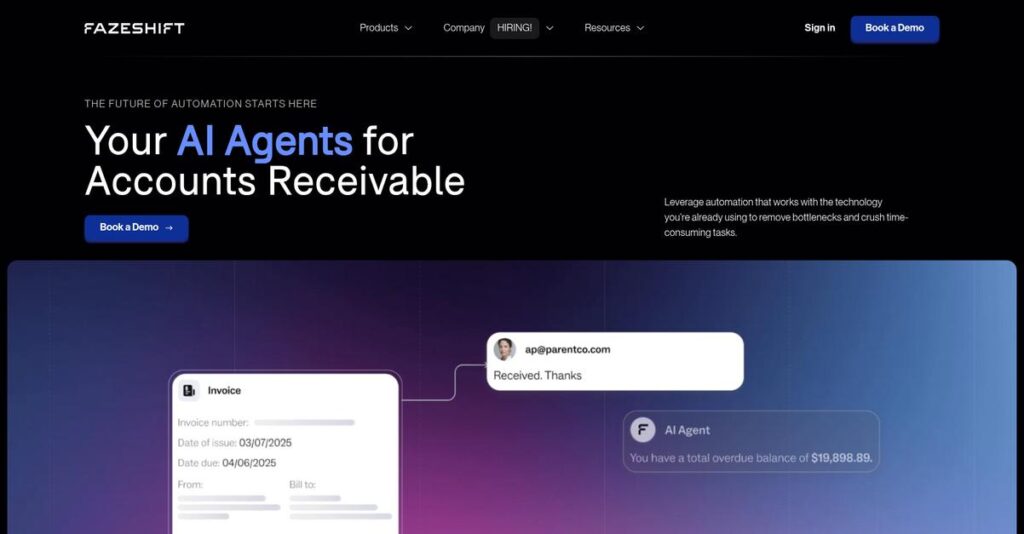
Drowning in manual invoice management?
If you’re searching for a smarter way to untangle your team’s AR chaos, you’re not alone—evaluating the right tool is tough when so many promise “automation” but still require endless workarounds.
But here’s the real struggle: you’re constantly chasing unpaid invoices and losing precious time—when clients slip through the cracks, your cash flow suffers and daily stress piles up.
That’s where Fazeshift takes a different approach. I’ve closely analyzed how their AI-powered automation doesn’t just polish the process on the surface—it targets root AR headaches, from integrations to payment reminders, so you actually spend less time on collections.
So, in this Fazeshift review, I’m breaking down how you reclaim hours and headaches every month by using automation that really works for your AR workflow.
You’ll get an inside look at Fazeshift’s features, pricing, real alternatives, and whether this solution matches your business’s needs or falls short.
You’ll walk away knowing if it offers the features you need to finally streamline your AR—and the confidence to book a trial or keep searching.
Let’s dive into the analysis.
Quick Summary
- Fazeshift is an AI-powered platform that automates and streamlines accounts receivable workflows from invoicing to collections.
- Best for mid-market and enterprise finance teams aiming to reduce manual AR tasks and improve cash flow visibility.
- You’ll appreciate its ability to integrate with existing tools and automate complex billing, payment matching, and collections processes.
- Fazeshift offers customized enterprise pricing with a free demo available but no public trial or fixed plans.
Fazeshift Overview
Fazeshift’s mission is to redefine accounts receivable management by empowering finance teams with frictionless, AI-powered automation for every step of the AR lifecycle.
With a strong focus on mid-market and enterprise businesses—especially scaling firms with complex AR needs and large invoice volumes—Fazeshift stands out for its depth of automation and breadth of real-time integrations. Their platform is purpose-built for organizations that demand faster cash flow cycles and streamlined financial operations while reducing manual workloads.
You’ll find Fazeshift powering AR for fast-growing technology companies, global SaaS providers, and several unicorn startups, speaking to its credibility across both scale and innovation-driven industries.
- 🎯 Bonus Resource: While discussing the digital tools powering modern businesses, understanding how an all-in-one digital connection can enhance both personal and professional life is equally important.
Fazeshift stands out for:
- Best-in-class AI automation for invoice and payment management
- Robust integrations with leading ERP and CRM solutions
- Designed to support high-volume, high-growth companies
Backed by leading investors like Gradient Ventures and Y Combinator, Fazeshift is doubling down on intelligent automation—aligning to the growing expectations for speed, accuracy, and financial agility in AR operations.
Let’s dive into this Fazeshift review to discover how their features and workflows might fit your business needs.
Fazeshift Features
Sick of chasing down late payments?
Fazeshift approaches AR automation as a single end-to-end platform, covering everything from contract review to collections and cash posting. Their feature set is built to handle every stage of the AR cycle with AI-driven precision and minimal manual effort. Here are the five main Fazeshift features that transform how you manage billing, payments, and cash flow:
1. AI Contract Review & Automated Invoicing
Manually entering billing terms wastes hours.
If your finance team dreads combing through complex sales contracts and entering invoice data, you’re not alone. Errors creep in, cycles drag out, and cash flow suffers.
Fazeshift’s AI Contract Review feature reads your contracts, extracts variable terms, and automatically generates correct invoices or subscriptions inside your ERP. You avoid manual data entry mistakes, cut cycle times, and gain control over even the trickiest billing rules. The feature even flags issues before invoices are sent.
Your invoices go out faster and with fewer errors, so you collect revenue sooner and avoid embarrassing disputes with customers.
2. Cash Application Automation
Matching payments to invoices shouldn’t require a detective.
Dealing with incoming payments—especially from multiple sources—is messy, leading to reconciliations that drag on and expose cash flow blind spots.
This Fazeshift feature automates the matching of ACH, wire, checks, and card payments to the right customer accounts. It processes remittance details, resolves exceptions (even parent-child scenarios), and keeps your ERP updated in real time. Key benefits include faster cash posting, detailed aging and dunning tools, and much less manual work.
Your finance team gets time back and eliminates mistakes, so daily reconciliations are finally pain-free.
3. Collections Management
Chasing overdue customers gets old quickly.
Spending hours on reminder emails, escalation, and manual tracking drains your collections team. DSO balloons while your finance staff burns out.
With this Fazeshift feature, you can schedule automated, personalized reminders, configure intelligent escalation (including pausing during client outreach), and dispatch relevant docs—without lifting a finger. It even auto-drafts responses and attaches correct invoices to cut response lag. Collections run on autopilot while your team handles high-value conversations.
Cash comes in sooner, and collections metrics improve without adding headcount or more software.
4. Payment Portal
Why make it hard for customers to pay?
If your customers struggle to view or pay invoices online, you’ll chase them for weeks and risk strained relationships—not to mention missed revenue.
Fazeshift’s customer portal lets your clients log in, review, and pay open invoices with multiple payment methods. Customers self-serve via the portal 24/7, securely storing cards or bank details for future use. Key highlights:
- Instant visibility of all outstanding invoices
- Support for ACH, wire, credit card payments
- Automated receipts and payment confirmations
- 🎯 Bonus Resource: While we’re discussing customer payments and growth, understanding how to accelerate sales ramp time can also significantly boost your revenue.
Customers pay quicker and with less friction, so you spend less time on collections and more on growth.
5. Integrations
Data living in silos creates endless busywork.
Manually moving data between your CRM, ERP, and email kills efficiency and leads to errors or out-of-date info across teams.
This Fazeshift feature connects directly with systems like Salesforce, HubSpot, NetSuite, Stripe, QuickBooks, DocuSign, and Gmail. The integrations let the AI automate workflows across all your business tools, pulling info instantly for complete, accurate records. Setup is fast (think a month, not quarters) and requires zero manual reconciliation.
You get a unified source of truth, so no more chasing data or risking lost revenue because systems aren’t talking.
Pros & Cons
- ✅ True end-to-end AR automation from contracts to cash
- ✅ Powerful integrations with major ERP and CRM systems
- ✅ Quick deployment with minimal IT involvement needed
- ⚠️ Custom workflow setup may require expert assistance
- ⚠️ Limited reporting customization in current product version
Fazeshift features are tightly integrated so every action—from reviewing contracts to posting payments—flows automatically through your existing tools. Your AR workflow finally becomes unified and proactive, making cash flow less stressful and freeing your team to focus on real growth. Let’s see how this plays out in real use scenarios.
Fazeshift Pricing
Is custom pricing the right move for you?
When it comes to Fazeshift pricing, the platform leans into a personalized approach instead of published tiers. That means you’ll need to connect with their sales team to get an exact quote shaped around your AR needs, modules, and projected usage. With this model, Fazeshift aims to offer mid-market and enterprise finance teams a tailor-made balance of automation power and budget control.
Cost Breakdown
- Base Platform: Custom quote
- User Licenses: Volume-based pricing
- Implementation: Varies by organization needs
- Integrations: Varies by complexity
- Key Factors: Modules, users, AR transaction volume
1. Pricing Model & Cost Factors
You get a tailored pricing proposal.
Fazeshift’s cost structure gives you maximum flexibility. When you discuss your AR needs, their sales team creates a quote that fits your exact transaction volume, user scale, and desired modules. This model is typical for enterprise SaaS solutions, letting you avoid paying for features you’ll never use. Your final cost depends on three main things: the breadth of automation you want, user access, and integration complexity—with pricing customized per business.
Ultimately, your budget aligns with what you actually use.
- 🎯 Bonus Resource: While we’re discussing complex business systems, understanding secure, transparent elections is equally important for governmental bodies.
2. Value Assessment & ROI
Every dollar spent drives AR efficiency.
Fazeshift pricing is designed for ROI—so if you’re ready to eliminate invoice headaches, your investment gets offset by reduced AR workload and faster cash recovery. That pricing flexibility means you’re not locked into bundled costs that may not fit your needs. You gain efficiency, better forecasting, and potentially faster working capital—advantages that typically outpace manual AR costs or less flexible competitors.
So when you compare alternatives, you get clear value for spend.
3. Budget Planning & Implementation
Watch for setup costs—plan for full rollout.
It’s crucial to ask Fazeshift up front about any onboarding or integration pricing details—as in most enterprise software, implementation can impact your total cost. Also, check on potential discount programs or lifetime deals offered to early adopters or growing teams, which can help stretch your AR automation budget even further.
With a clear implementation and usage scope, you avoid budgeting surprises.
My Take: Fazeshift’s pricing is built for large AR and finance departments ready to automate at scale. If your AR volume and complexity require flexible, purpose-built workflows, this tailored model fits. SMBs may find better fit elsewhere, but enterprises can maximize value here.
If your AR headaches require custom attention, Fazeshift’s pricing model gives you control and clarity over every dollar spent. Just line up your priorities before reaching out for a quote.
Fazeshift Reviews
What do Fazeshift users actually say?
To give you the clearest picture, I’ve pulled insights from verified Fazeshift reviews, analyzing feedback from G2 and firsthand accounts. Here’s what I’ve learned about real customer experiences with onboarding, automation, support, and any pain points, so you know what to expect.
1. Overall User Satisfaction
Positive momentum defines initial user sentiment.
Across the available Fazeshift reviews, most users report strong overall satisfaction. New customers highlight quick onboarding, responsive support, and helpful automation features as key drivers. Even with a relatively small sample size, the pattern is clear: users feel the product delivers on its AI-driven AR promise and reduces their workload in meaningful ways.
User satisfaction is built on time saved, less manual effort, and better organization—but potential users should weigh minor gripes reported in a few reviews.
2. Common Praise Points
Easy onboarding stands out for users.
The most common positive feedback in Fazeshift reviews centers around ease of use, fast setup, and seamless integrations. Customers consistently mention that onboarding is simple, the interface is intuitive, and integration with platforms like QuickBooks and Stripe happens without fuss. Praises also spotlight how much time and money users save through automation—making those AR headaches a thing of the past.
For you, this means faster implementation, fewer manual tasks, and a smoother AR process from day one.
3. Frequent Complaints
Minor slowness is a noted issue.
Among constructive feedback in recent Fazeshift reviews, I noticed that some users experience slower page load times. This doesn’t appear frequently, but several users do mention it when discussing day-to-day usability. The complaint typically revolves around delays when switching between sections of the application, rather than any critical bugs or missing features.
Most reviewers treat these performance hiccups as minor annoyances, not deal-breakers—worth being aware of, but not a recurring reason to leave the platform.
- 🎯 Bonus Resource: While we’re discussing performance, understanding audio over power lines is equally important for some setups.
What Customers Say
- Positive: “Fazeshift is super easy to onboard and use, their team got me set up quickly and were very responsive.” (G2 review)
- Constructive: “Sometimes pages take a while to load on the application.” (G2 review)
- Bottom Line: “Our team has become more organized using Fazeshift, leading to improved efficiency in tracking and collecting.” (G2 review)
In sum, Fazeshift reviews reveal mostly happy, efficiency-focused customers, with minor speed concerns noted but not repeated widely. This reflects first-person feedback from verified accounts—a solid signal for your evaluation.
In Conclusion
Will Fazeshift transform your AR operations?
When wrapping up this Fazeshift review, my final assessment focuses on matching business needs to strengths and trade-offs. If you’re evaluating AR automation, you want to know whether Fazeshift delivers real-world value—and if its unique advantages fit your requirements and company stage. Here’s my decisive guidance to help you move forward confidently.
1. Is Fazeshift for you?
Perfect fit for AR-heavy finance teams
If your business runs a complex billing operation, especially in mid-market or enterprise SaaS, you’ll get the most from Fazeshift. My evaluation found it excels for teams looking for streamlined automation, robust integrations, and customizable AI-driven workflows. You’ll see the most impact if AR inefficiencies or manual collections are holding you back.
Businesses that thrive with Fazeshift typically prioritize automation, seek faster cash flow, and have outgrown basic AR tools.
2. Overall Strengths
AR automation with impressive usability
Fazeshift stands out thanks to best-in-class onboarding, significant time savings, and flexible integration with key systems. From my review, the AI-powered automation and responsive support are standout features. The platform combines simple setup with deep automation that reduces time spent on collections and application, backed by consistently positive user experiences.
These strengths matter because they translate to faster DSO, less AR grunt work, and a smooth learning curve—even if your billing is complicated.
3. Key Limitations
Some transparency and performance trade-offs
While Fazeshift generally impresses, it’s not perfect. The small review sample means limited visibility into long-term product stability. Minor user-reported slow page loads and a lack of upfront public pricing may create friction if you want instant answers or are testing multiple tools.
For most finance teams, these are manageable downsides, but if total transparency and established longevity are your top priorities, you’ll want to plan extra due diligence.
4. Bottom line?
Confidently recommended for modern AR teams
If your business wants accurate, automated AR with less manual work, Fazeshift scores highly in this review analysis. The strategic AI automation and seamless integrations make it a strong choice for scaling finance teams frustrated by slow collections. Pricing opacity and early-market status aren’t major red flags, assuming you value innovation and customization.
I recommend booking a demo to test fit—this software is worth serious consideration if your AR team needs efficiency and reliable support.
Bottom Line
- Verdict: Recommended
- Best For: AR-focused mid-market finance teams
- Business Size: 20-500+ FTEs with complex billing
- Biggest Strength: AI-driven automation with robust integrations
- Main Concern: Limited reviews and no public pricing
- Next Step: Schedule a demo for tailored evaluation
In closing, my Fazeshift review leaves me with high confidence recommending it to AR-heavy teams seeking customizable automation and efficiency. Book a demo to see if it’s right for your processes.




