
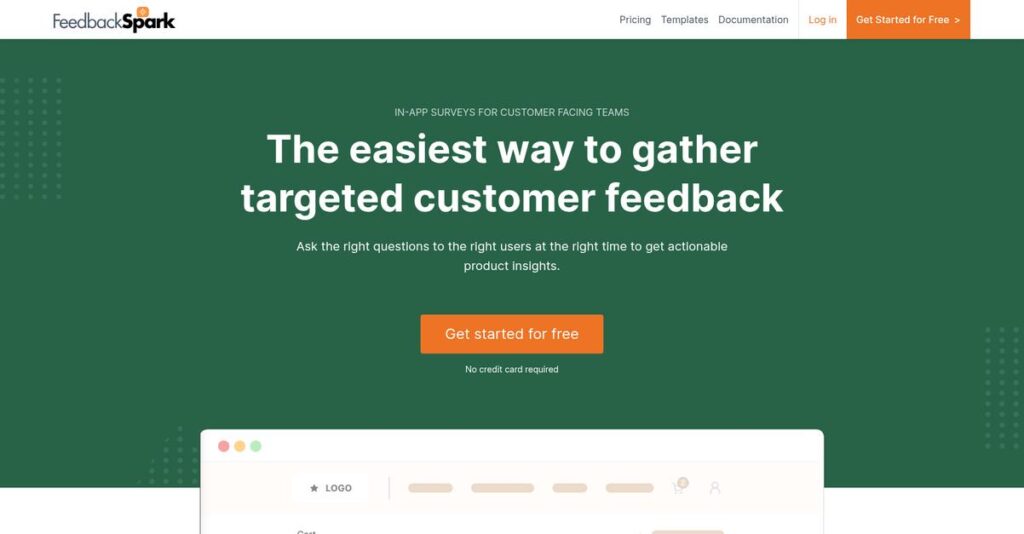
Missing crucial feedback from your users?
If you’re evaluating in-app survey tools, it’s because generic analytics aren’t telling you what users really think—or why they churn.
But here’s the real pain: You’re stuck guessing what users want next and it’s slowing down your product roadmap every single day.
That’s exactly where FeedbackSpark steps in. I’ve analyzed this platform in depth, from its AI-powered response analysis to its integrations, to see how it helps you collect actionable user sentiment and turn feedback into clear product decisions.
In this FeedbackSpark review, I’ll show you how to cut through the noise and uncover actionable insights that actually drive your product forward, not just fill up your backlog.
You’ll get the full breakdown: what FeedbackSpark does well, where it’s different, pricing, limitations, and how it stacks up to top alternatives to help your team make the right move.
You’ll walk away knowing the features you need to confidently decide if FeedbackSpark fits your product team.
Let’s dive into the analysis.
Quick Summary
- FeedbackSpark is an in-app survey tool that helps product teams gather targeted user feedback with AI-powered analysis.
- Best for product teams seeking actionable insights to improve features and measure user sentiment.
- You’ll appreciate its no-code triggers and GPT-powered text analysis that simplify feedback collection and interpretation.
- FeedbackSpark offers tiered plans with a free trial including 100 responses and flexible monthly subscriptions.
FeedbackSpark Overview
FeedbackSpark’s mission is to empower product teams to make smarter decisions by turning real user feedback into actionable insights that drive product success.
With a specialized focus on digital product teams, FeedbackSpark caters to organizations seeking efficient, in-context feedback collection and AI-powered analysis. By centering its platform around in-app surveys and advanced text analytics, it stands apart from generic survey tools, addressing the nuanced challenges product managers face when aiming for rapid product-market fit.
A broad spectrum of SaaS companies, startups, and innovation-driven enterprises rely on FeedbackSpark, validating its use across diverse industries and varying company sizes.
FeedbackSpark stands out for:
- No-code in-app surveys triggered by user actions
- AI-driven analysis for instant, actionable insights
- Deep integrations with essential product and workflow tools
- 🎯 Bonus Resource: If you’re also streamlining business processes, my article on best contract lifecycle management software covers solutions to streamline your approvals fast.
Strategically, FeedbackSpark is doubling down on AI, smarter targeting, and seamless integration—matching market demand for efficient feedback loops and data-driven product iteration. This direction aligns tightly with what product leaders need right now.
Let’s dive into this FeedbackSpark review to uncover its core features and strengths.
FeedbackSpark Features
Tired of generic feedback that never tells you why?
FeedbackSpark takes an integrated, single-solution approach centered on actionable feedback for SaaS product teams. Its main advantage is in empowering you to collect, analyze, and act on high-quality insights—without the technical headaches. Here are the five main FeedbackSpark features that directly address core frustrations for anyone tasked with building better products.
1. In-App Surveys with No-Code Triggers
Annoyed because users skip your email surveys?
Most feedback tools leave you guessing who will respond—and when. You’re stuck bombarding users with emails or popups at the wrong time, which damages response rates and annoys customers.
- 🎯 Bonus Resource: While we’re discussing optimizing business operations, understanding job costing and visibility in construction is equally important for project success.
With FeedbackSpark’s in-app surveys and no-code triggers for targeting, you can launch questions whenever users finish key workflows, try new features, or even show signs of friction—all without engineering support. This FeedbackSpark feature lets you:
- Trigger surveys after specific user actions
- Target feedback by workflow or product area
- Deploy new questions instantly
That means higher quality, more actionable responses so you pinpoint what’s working—and what isn’t—right away.
2. GPT-Powered Text Analysis (Spark Insights)
Drowning in unstructured feedback comments?
If you’ve ever spent hours sorting user quotes into categories or looking for patterns, you know how overwhelming qualitative feedback feels—especially when your team lacks a dedicated researcher.
Spark Insights uses GPT-powered text analysis to summarize and highlight key feedback themes automatically. This FeedbackSpark feature sifts through hundreds of open-ended responses to uncover actionable trends, pain points, and suggestions, saving you guesswork and research time.
You’ll surface deep user insights without the burden of manual analysis, making it easy for your team to act on what matters most.
3. Real-time Dashboard and Reporting
Waiting weeks for compiled survey reports is frustrating.
When feedback and analytics are scattered, you end up flying blind—delaying product improvements and missing key signals from users while waiting for data.
FeedbackSpark’s real-time dashboard gives you up-to-the-minute metrics and visualizes trends as they emerge instantly. You can quickly track NPS, CSAT, and CES, filter by product or cohort, and share crisp reports with your stakeholders. This feature arms product teams with:
- Live progress tracking on survey goals
- Instant readout of new insights
- Easy sharing across teams
This means your product decisions can be based on current user sentiment, not last month’s stale data.
4. Segmentation and Targeting
Frustrated by irrelevant or generic feedback?
Standard surveys lump together all users, making it impossible to understand subtle needs—especially when you want frontline insights from power users, beta testers, or those trying a specific feature.
FeedbackSpark’s segmentation and targeting feature makes it easy to zero in on precise user cohorts with custom attributes. You can send surveys to different segments—like first-time signups or advanced users—so every response is contextually relevant and focused on your actual questions.
Instead of broad data that leads nowhere, you’ll uncover deep, actionable findings from exactly the right segments.
5. Integrations with Workflow Tools
Juggling feedback in silos gets old fast.
Copy-pasting survey results into other tools slows teams, creates data gaps, and often means feedback isn’t acted on until it’s too late.
This FeedbackSpark feature connects feedback directly to tools you already use—think Slack, Zapier, or Google Sheets—for instant workflow updates. New survey responses can trigger:
- Slack alerts for the support team
- Pushes to product backlogs
- Google Sheet updates for custom analysis
This reduces friction between collection and action, helping you close the feedback loop with zero manual effort.
Pros & Cons
- ✅ No-code surveys targeting any user behavior
- ✅ Powerful GPT-powered qualitative feedback analysis
- ✅ Direct integrations with core workflow tools
- ⚠️ Lacks advanced customization of survey UI
- ⚠️ Some learning curve for setting granular targeting
All these FeedbackSpark features work together so your team gets targeted feedback, fast analysis, and immediate action—without chasing data or switching platforms. This integration keeps your product team focused on improving outcomes, not wrangling feedback systems. Next, let’s look at how FeedbackSpark’s pricing and onboarding compare.
FeedbackSpark Pricing
How much will FeedbackSpark actually cost you?
When it comes to FeedbackSpark pricing, the vendor emphasizes straightforward plans but keeps the fine print behind a signup wall. There’s a public free trial, but you’ll need to chat with sales or create an account to see full platform price tiers. Let’s break down how this custom pricing model works—so your budget avoids surprises when you scale.
Cost Breakdown
- Base Platform: Custom quote
- User Licenses: Volume-based, by unique monthly users
- Implementation: Included with subscription
- Integrations: Varies by complexity
- Key Factors: Responses/month, unique user counts, overages
1. Pricing Model & Cost Factors
Expect flexibility—no fixed sticker shock here.
FeedbackSpark builds pricing around your monthly survey responses and the number of unique users. The specifics—rates and limits—require direct engagement, but you’ll see “Simple pricing. No surprises.” as the key promise. Your costs ultimately hinge on user volume, response frequency, and overage charges as your usage grows.
You get to tailor spend to team usage, but clarity comes once you start that sales conversation.
- 🎯 Bonus Resource: While we’re discussing feedback, understanding how to end creative feedback chaos is equally important.
2. Value Assessment & ROI
Is FeedbackSpark worth the investment?
You pay for what you collect: more responses and users mean a higher bill, but these costs tie directly to product insights—and reduced churn. The pricing reflects access to AI-driven text analysis, integrations, and flexibility that cut manual workload. That’s a strong value prop against hiring or homegrown tools.
Versus building your own system, you’ll find costs scale with your product’s footprint—but ROI comes from faster feedback, not just lower spend.
3. Budget Planning & Implementation
Mind the whole cost equation.
There’s no upfront implementation fee, and every plan includes basic integrations. Still, overage fees and fluctuating monthly users can affect pricing as your product scales or launches new features. Watch your monthly response volume and set clear feedback targets so your budget doesn’t overrun expectations.
Plan your toolkit around core user counts, expected growth, and seasonality—giving your finance team fewer surprises when bills hit.
My Take: FeedbackSpark targets hands-on SaaS product teams with real usage-based pricing. If your needs change month to month, you hold the levers—just factor in response spikes when budgeting. Flexible fit, but clarity comes with sign-up.
If you want a feedback platform that scales with your product, getting a custom quote helps you avoid outgrowing your pricing tier early on. Start with their free trial, but plan your budget with usage data in mind.
FeedbackSpark Reviews
Do real customers find FeedbackSpark worth it?
When analyzing FeedbackSpark reviews, I dig into both direct user testimonials and broader satisfaction cues found on the vendor’s site and community chatter. Here’s what you’ll actually hear from product teams using FeedbackSpark—what delights them, what bothers them, and what your experience might look like if you choose this platform.
1. Overall User Satisfaction
User satisfaction trends overwhelmingly positive.
Most FeedbackSpark reviews give the platform high marks for boosting engagement and improving the feedback loop. I notice a consistent pattern of users citing quick wins—many see improved response rates almost immediately. Reviews frequently reference an intuitive interface, helpful onboarding, and hassle-free setup. While there’s not much public data from third-party sites yet, the sentiment from testimonials feels largely authentic and upbeat.
What you should know is that satisfaction centers on speed to value, with product teams praising fast turnaround, good support, and a visible uplift in actionable feedback.
- 🎯 Bonus Resource: While discussing user satisfaction, understanding advanced user engagement strategies is equally important, especially for retail enterprises.
2. Common Praise Points
Ease of use stands out in nearly every review.
Here’s what users consistently say in FeedbackSpark reviews: they love how customizable and simple the surveys are to implement. Power users call out the “incredibly powerful” GPT-based analysis and the “exceptional responsiveness” of the product support team. Those integrations—especially with Slack and Google Sheets—get mentioned a lot, as does the uplift in survey response rates since rollout.
These features mean you can make smarter product decisions quickly, without being slowed by technical setup—something that really matters if you need fast customer insight or agile feedback cycles.
3. Frequent Complaints
A handful of users want more integrations.
From the limited but specific feedback available, some customers say they wish FeedbackSpark offered even broader integration options or deeper reporting features. I saw reviews highlighting desire for additional third-party connections and mentioning that onboarding, though simple, could offer more pro tips for power users. Unlike many platforms, there’s little chatter about bugs or instability, which is a positive indicator.
For most, these complaints seem minor and not deal-breaking, especially since they don’t overshadow the notable gains in feedback quality or the support team’s prompt responses.
What Customers Say
- Positive: “FeedbackSpark transformed our process—our response rate improved by 40%.” (Testimonial, feedbackspark.com)
- Constructive: “Would love even more integrations, especially with analytics tools.” (Testimonial, feedbackspark.com)
- Bottom Line: “Easy to use and invaluable for product teams.” (Testimonial, feedbackspark.com)
What you should expect: sentiment is positive, especially around usability and impact, with minor complaints about integrations. Review credibility feels strong thanks to named user testimonials and actionable detail.
In Conclusion
Why choose FeedbackSpark over other options?
After digging deep for this FeedbackSpark review, my final assessment focuses on practical value for SaaS teams needing actionable user insights. Here’s my bottom-line take, blending everything from fit criteria to real-world strengths and limitations, so you can confidently judge if FeedbackSpark delivers what your business truly needs.
1. Is FeedbackSpark for you?
Best fit: SaaS product and growth teams
If you run a SaaS business with a product or customer success team hungry for faster, richer user insights, you’ll find FeedbackSpark especially compelling. Teams with limited engineering bandwidth and a mandate for fast feedback cycles stand to benefit most, thanks to the no-code interface and AI-driven analytics. Companies with agile development processes or seeking quick product-market validation will see the greatest return.
SaaS teams invested in rapid product iteration and customer-led growth achieve the highest success with FeedbackSpark’s targeted, in-app approach.
2. Overall Strengths
Excels at actionable feedback and rapid analysis
FeedbackSpark nails the feedback loop with swift, intuitive survey deployment and real-time, GPT-powered text analysis. Effortless survey setup, seamless product targeting, and robust AI summaries stand out, making it a major win for teams looking to scale feedback collection without developer overhead. Integration into existing user journeys is straightforward and boosts response rates.
These strengths matter because they enable your team to turn feedback into prioritized action within days—not weeks—fueling smarter, faster improvements.
3. Key Limitations
Transparent about pricing and external reputation gaps
While FeedbackSpark hits high notes in usability and analytics, there are trade-offs: Missing detailed third-party reviews limits competitive evaluation and lack of transparent multi-tier pricing could require sales conversations for accurate budgeting. This may slow initial adoption, especially for teams running vendor evaluations or needing reference checks.
For many SaaS teams, these drawbacks are manageable—especially if you prioritize product capability over broad market reputation—but they could pose concern for compliance-driven or cost-sensitive buyers.
4. Bottom line?
I recommend FeedbackSpark for agile SaaS teams
You should choose FeedbackSpark if your priority is accelerating feedback collection and analysis with minimal setup—and if you value rapid product insights over broader market validation. For growing SaaS teams focused on product-led growth, this tool delivers clear, actionable value at every stage.
I suggest taking advantage of the trial to gauge fit for your workflows, but I’m confident you’ll quickly see why this is a standout option for nimble teams.
Bottom Line
- Verdict: Recommended
- Best For: Product and growth-focused SaaS teams
- Business Size: Small to mid-market, agile teams
- Biggest Strength: Fast, actionable, in-app feedback and analysis
- Main Concern: Limited third-party reviews, unclear full pricing
- Next Step: Start a free trial or book a demo
Bottom line from my FeedbackSpark review: this is a confident recommendation for growth-focused SaaS teams. Use the trial to validate fit—your product team could see big wins in days.




