
Disjointed workplace tools drain your energy fast.
If you’re evaluating solutions like Appspace, you’re probably battling scattered communications, clunky room bookings, and tools that never seem to work together the way you actually need.
Here’s the real frustration: hours get wasted switching between disconnected apps, and that means lost productivity and constant confusion about what’s happening in your office every day.
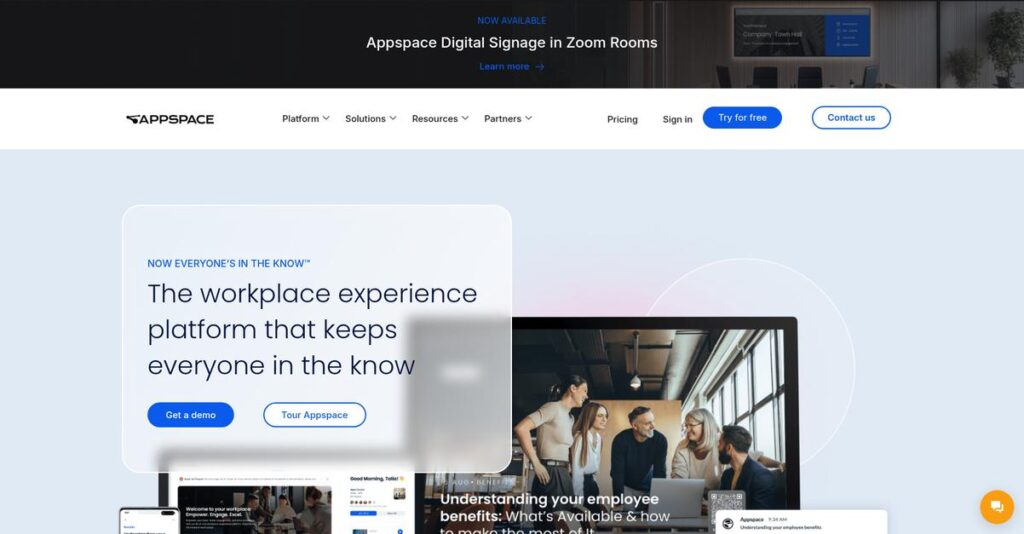
Appspace claims to solve this by giving you one platform for digital signage, space reservations, intranet, visitor management, and employee communication—integrated with Microsoft 365, Teams, and your favorite workplace tools.
In this review, I’ll break down how you can streamline all your workplace operations by using Appspace so your team can focus on real work, not digital busywork.
You’ll see in this Appspace review how every feature—from content publishing to desk booking—measures up, with honest pros, cons, and tips for your software evaluation.
You’ll walk away with the features you need to actually make a confident decision about your workplace platform in 2025.
Let’s get started.
Quick Summary
- Appspace is a unified workplace experience platform that connects employee communications with space and visitor management.
- Best for mid-market to enterprise organizations invested in Microsoft 365 looking to unify workplace tools.
- You’ll appreciate its easy-to-use interface combined with strong integrations and flexible management of digital signage and space booking.
- Appspace offers scalable pricing from $3 per user and $38 per device per month, with a minimum spend around $950 and demos available on request.
Appspace Overview
Appspace has been tackling the modern workplace since 2002, operating from its headquarters in Dallas, Texas. Their mission is to create a unified workplace experience platform employees actually love.
I primarily see them serving mid-market and enterprise businesses that want to escape juggling disconnected tools. What really sets them apart is being a single platform for the workplace experience, simplifying daily operations for both your IT team and employees.
Their recent moves, like integrating with Microsoft Copilot, are incredibly smart. You’ll understand through this Appspace review how these updates enhance the tech your team already relies on daily.
Unlike competitors like Robin or Rise Vision, which often feel like single-task tools, Appspace’s core advantage is unifying digital communications with physical space management. It really feels like it was built for people who actually manage hybrid offices.
You’ll find them working with many large organizations, including a significant number of Fortune 500 companies. This tells me their platform is genuinely built to handle complex, enterprise-grade operational scale.
- 🎯 Bonus Resource: While we’re discussing operational scale and managing your business, understanding transform your contract management is equally important.
From my analysis, their current strategy is to be the central nervous system for the hybrid office. This focus on deep integration with tools like Microsoft 365 directly addresses a huge and persistent IT pain point.
Now let’s dive into their features.
Appspace Features
Is your office tech a disconnected mess?
Appspace offers a unified workplace platform to connect your people, places, and communication channels. Here are the five core Appspace solutions that solve key workplace challenges.
1. Digital Signage
Tired of static, boring office screens?
Manually updating displays is a chore, leading to outdated information and disengaged employees who just ignore the screens completely.
This lets you push dynamic content—from announcements to live data dashboards—across all screens from one place. From my testing, turning Teams Rooms into digital signage is a game-changer for getting more value from your hardware.
You get a powerful way to keep everyone informed and engaged with relevant, timely content without the administrative burden.
2. Space Reservation
Desk booking shouldn’t be a headache.
Finding an available desk or meeting room often involves confusing spreadsheets or email chains, wasting everyone’s valuable time.
This provides an interactive floor plan to see and book spaces from the employee app, Teams, or Outlook. I found the touchless QR code check-in incredibly convenient, making the on-site experience seamless. This is where Appspace shines.
Your team gets a simple, self-service way to reserve workspaces, reducing administrative friction and supporting a truly flexible office.
3. Employee App
Is company culture getting lost?
In a hybrid world, keeping everyone connected to company news, events, and each other can feel nearly impossible for you.
The Employee App acts as a central hub for all things company-related, from news feeds to workspace booking and team channels. The social features encourage comments and emoji reactions, which I believe helps foster a sense of community.
This gives you a single place to engage employees, boost morale, and ensure everyone feels connected to the company culture.
4. Visitor Management
Your front desk process is outdated.
Manual sign-in sheets are inefficient and unprofessional, creating security risks by leaving visitor information exposed and difficult to track.
This automates everything, from pre-registration to self-service check-in kiosks that notify hosts upon arrival. The integration with Microsoft Copilot for check-ins is a forward-thinking touch that truly modernizes the entire visitor experience for your company.
You create a polished, secure first impression for guests while reducing the workload on your front-desk team.
5. Intranet
Can employees find what they need?
Information scattered across Microsoft 365 tools creates a frustrating experience where your employees can’t find key documents or company news.
Built on SharePoint, this intranet unifies your tools into a single portal for communications, knowledge, and team collaboration. It provides a consistent digital experience across all devices, making information truly accessible. Here’s what I found most valuable.
This means your team spends less time searching for information and more time getting their actual work done.
Pros & Cons
- ✅ User-friendly interface simplifies overall office management tasks.
- ✅ Powerful digital signage with modern Microsoft Teams integration.
- ✅ Streamlined and intuitive space and desk reservation system.
- ⚠️ Initial implementation can be complex for new users.
- ⚠️ Platform can be somewhat pricey for certain budgets.
- ⚠️ Advanced reporting features can sometimes be challenging to use.
These solutions combine to create a cohesive workplace experience, connecting communications with your physical spaces. The value of these Appspace features is how they unify the complete employee journey from screen to office door.
Appspace Pricing
Tired of one-size-fits-all pricing plans?
The Appspace pricing model is highly customized, built around your specific mix of users and devices. This requires contacting sales but ensures you only pay for what your business actually needs.
Cost Breakdown
- Base Platform: $950 minimum monthly spend
- User Licenses: Starts at $3 per user/month
- Device Licenses: Starts at $38 per device/month
- Implementation: Custom quote from sales team
- Key Factors: Number of users, number of devices, quantity discounts
1. Pricing Model & Cost Factors
A flexible hybrid model.
Appspace’s pricing is a custom subscription based on what you deploy. You combine user licenses (starting at $3/month) with device licenses (from $38/month). From my cost analysis, your final quote depends on this specific mix, which allows for precise scaling. Quantity discounts provide better value for larger organizations, making the pricing more attractive as you grow.
This structure ensures your budget is spent efficiently, aligning costs directly with your employee communication and space management strategy, helping you avoid paying for unused features in rigid tiers.
2. Value Assessment & ROI
Justifying your platform investment.
The main value from Appspace’s pricing is platform consolidation. Instead of paying for separate digital signage, room booking, and internal communication tools, you get one unified system. From my analysis, this dramatically simplifies vendor management, training, and your overall user experience. The platform’s deep integration with tools like Microsoft 365 means you leverage investments your company has already made.
This approach delivers a stronger ROI by eliminating redundant software subscriptions and streamlining your entire workplace tech stack into a single, manageable, and more powerful platform for your business.
3. Budget Planning & Implementation
Consider your total ownership cost.
Budget-wise, the most important factor is the $950 minimum monthly spend, which clearly positions Appspace for mid-market and enterprise clients. Beyond the software licenses, you must also account for hardware costs like digital signage screens or room booking panels. I recommend discussing implementation services with their sales team to get a complete picture.
For your business, create a comprehensive budget that includes not just the subscription but also the physical infrastructure required to fully utilize this entire powerful platform.
My Take: Appspace’s pricing targets companies ready to invest in a unified workplace platform. The minimum spend makes it a non-starter for small businesses, but a strong value for enterprises consolidating their tech stack.
Overall, the Appspace pricing structure is built for scalability and customization. It provides a predictable cost model for large organizations ready to invest in a comprehensive workplace experience solution.
Appspace Reviews
What do real customers actually think?
To get you an honest answer, I analyzed hundreds of Appspace reviews across G2 and Gartner. Here’s a balanced look at what users are really saying about the platform.
1. Overall User Satisfaction
Users are overwhelmingly positive.
From my review analysis, Appspace earns a stellar 4.7-star average on G2, reflecting widespread approval. What I found is that customers value its comprehensive workplace tools, with very few reviews dipping below four stars. This pattern suggests a consistently strong and reliable user experience for most organizations.
This high satisfaction is overwhelmingly driven by its intuitive design and the ability to centralize multiple critical office management functions, like signage and booking, into one unified platform.
2. Common Praise Points
Ease of use is a recurring theme.
Users consistently praise the platform’s user-friendly interface for making complex tasks feel simple. Many reviews highlight how the space booking feature is incredibly efficient, reducing administrative work for employees and office managers alike. The ability to manage digital signage remotely is another huge win for communications teams.
This means your team can manage everything from desk reservations to company announcements without a steep learning curve, saving significant operational time and boosting adoption rates.
- 🎯 Bonus Resource: While we’re discussing operational efficiency, understanding variant management for manufacturing efficiency is equally important.
3. Frequent Complaints
No software is without its flaws.
While largely positive, some reviews point to a few consistent hurdles. The most common issues I found in user feedback relate to implementation being more complex than expected, especially for intricate digital signage setups. A few users also note that the platform can feel somewhat pricey.
These complaints aren’t deal-breakers for most, but they suggest you should budget extra time and resources for the initial setup process to ensure a smooth rollout.
What Customers Say
- Positive: “I love how easy Appspace has design[ed] this software for meeting room and space booking, information on the apps is accurate…” (G2 Reviewer)
- Constructive: “Double bookings are not allowed, there are limitations on reservable spaces.” (Small Business User on G2)
- Bottom Line: “It’s user friendly and navigating tools has never been easy.” (G2 Reviewer)
Overall, user feedback shows Appspace is a highly-regarded platform that delivers on its promises. The consistency across positive reviews gives these insights strong credibility for your evaluation.
Best Appspace Alternatives
Is Appspace the only workplace platform?
The best Appspace alternatives offer different strengths depending on your priorities. From my competitive analysis, your decision should factor in budget, your primary use case, and your existing technology infrastructure.
- 🎯 Bonus Resource: Speaking of specialized solutions, my guide on case management built for unique agency workflows offers valuable insights.
1. Rise Vision
Need affordable, template-driven digital signage?
Rise Vision is a strong alternative if your main goal is powerful yet budget-conscious digital signage. What I found comparing options is that its extensive library of over 600 templates and emergency alert features serve mid-market businesses exceptionally well, especially those without large design teams.
You should choose Rise Vision when you need a cost-effective, easy-to-use signage solution with robust pre-built content options over an integrated workplace suite.
2. Robin
Focused solely on hybrid workplace optimization?
Robin excels in pure space management, especially for companies fine-tuning a hybrid work model. This alternative provides more specialized tools for desk and room booking, interactive maps, and advanced analytics for space utilization insights. Its focus is narrower but deeper than Appspace’s broader platform.
If your primary challenge is optimizing physical office layouts and scheduling for a hybrid workforce, Robin is your better choice.
3. Crestron
Building a hardware-centric meeting room ecosystem?
You’ll want to consider Crestron when your strategy involves a deeply integrated, hardware-driven environment for AV control and room automation. Alternative-wise, Crestron provides a single-vendor solution for hardware and software, which is ideal for complex, large-scale installations requiring sophisticated control systems from one provider.
Choose Crestron if you need advanced room automation and prefer a tightly integrated hardware ecosystem over Appspace’s software-first approach.
Quick Decision Guide
- Choose Appspace: For a unified platform combining communications and space management.
- Choose Rise Vision: For budget-friendly digital signage with extensive template options.
- Choose Robin: For dedicated hybrid office optimization and space analytics.
- Choose Crestron: For complex, hardware-driven meeting room automation and AV control.
Ultimately, the best Appspace alternatives are the ones that align with your specific workplace needs and operational goals, not just a list of features.
Appspace Setup
Is Appspace setup truly plug-and-play?
From my Appspace review, deployment is generally straightforward for basic features like space booking, but a successful digital signage rollout requires careful planning. Here’s a realistic look at the process.
1. Setup Complexity & Timeline
Setup complexity varies by feature.
Basic space reservation is quite intuitive, but digital signage implementation can be more involved than companies expect. What I found about deployment is that your content and hardware planning will determine your timeline, ranging from a few weeks for simple setups to several months for complex, multi-office rollouts.
You’ll need to define your communication goals, map out content sources, and audit all potential display hardware and network connections before kicking off the project.
- 🎯 Bonus Resource: Speaking of management solutions, if you’re looking into revenue management for SaaS, my guide on Maxio offers deeper insights.
2. Technical Requirements & Integration
Your existing hardware is probably compatible.
Appspace is hardware-agnostic, integrating well with existing systems like Microsoft 365 and hardware from BrightSign or Crestron. The main technical lift for this cloud-based implementation is ensuring network stability for all displays. Connectivity issues can undermine the entire user experience, so you will want to test this thoroughly.
Your IT team should verify robust network connectivity at every display location and plan any API integrations with your primary collaboration tools like Teams.
3. Training & Change Management
User adoption is surprisingly easy.
The platform’s intuitive design means end-user training for features like space booking is minimal. The bigger lift is with content creators. From my implementation analysis, getting creators comfortable with templates and workflows is key to maintaining fresh, engaging content. The learning curve is moderate but very manageable.
You should identify content champions in each department and provide them with specific training on creating effective, on-brand content using the available templates.
4. Support & Success Factors
Vendor support is a major asset.
Users consistently praise Appspace’s 24/7 customer support, highlighting knowledgeable and responsive agents. During implementation, leaning on their expertise for hardware configuration can prevent common pitfalls and accelerate your timeline. This direct support is a significant asset that you should plan to leverage throughout the process.
Your project plan should include checkpoints with Appspace support, and you should encourage your technical team to reach out proactively for guidance.
Implementation Checklist
- Timeline: 2-6 months for a full digital signage rollout
- Team Size: IT lead, communications manager, and a dedicated project lead
- Budget: Hardware costs for displays and media players
- Technical: Stable network connectivity at all display end-points
- Success Factor: A well-defined content strategy before technical setup
Overall, the Appspace setup is manageable if you plan properly, especially for digital signage. Success hinges on strong content planning upfront, which ensures the technology serves clear communication goals.
Bottom Line
Appspace is a powerful, unified platform.
This Appspace review synthesizes my complete analysis into a clear recommendation, helping you decide if this integrated workplace experience platform is the right choice for your organization’s specific needs.
1. Who This Works Best For
Enterprises managing a complex hybrid workplace.
Appspace excels for mid-market and enterprise organizations with hybrid workforces needing to connect people and places. What I found about target users is that HR, IT, and internal comms teams benefit most from its ability to consolidate fragmented communication and space management tools into one system.
You’ll see the best results if your primary goal is to create a consistent, engaging employee experience across both digital and physical spaces.
2. Overall Strengths
A truly unified workplace experience platform.
The platform’s core advantage is its all-in-one approach, seamlessly combining digital signage, space booking, and employee comms into a single hub. From my comprehensive analysis, its deep integration with the Microsoft ecosystem, including Teams and Copilot, is a major differentiator for organizations invested in those tools.
These strengths create a more cohesive user experience for employees, simplify administration, and reduce the high costs associated with managing multiple disparate workplace tools.
- 🎯 Bonus Resource: While this platform focuses on workplace experience, if you’re managing an Ayurveda practice, my analysis of integrated clinic management can be invaluable.
3. Key Limitations
Higher cost and potential setup hurdles.
The platform’s enterprise focus means its entry-level cost is higher than specialized point solutions, which can deter smaller businesses. Based on this review, some users report that the initial digital signage implementation isn’t as straightforward as expected and may require dedicated IT resources to configure properly.
For the target audience, these are generally manageable trade-offs for the platform’s unified functionality, rather than fundamental deal-breakers preventing long-term success.
4. Final Recommendation
A strong recommendation for the right company.
You should choose this platform if your enterprise needs to consolidate its workplace tech stack into one cohesive system. From my analysis, your success hinges on valuing a unified employee experience over securing the cheapest point solution for each function like digital signage or room booking.
My confidence is high for organizations aiming to boost hybrid work engagement and simplify management, especially those already invested in the Microsoft suite of tools.
Bottom Line
- Verdict: Recommended for unified workplace experience management
- Best For: Mid-market & enterprise companies with hybrid or distributed workforces
- Business Size: Medium to large organizations with dedicated IT, HR, and Comms teams
- Biggest Strength: Unified platform for comms, space booking, and signage
- Main Concern: Higher entry-level cost and potential implementation complexity
- Next Step: Request a personalized demo to assess its fit for your tech stack
Ultimately, this Appspace review finds a powerful, cohesive solution for modern workplaces. I have strong confidence in this recommendation for organizations that fit the ideal user profile outlined above.




