
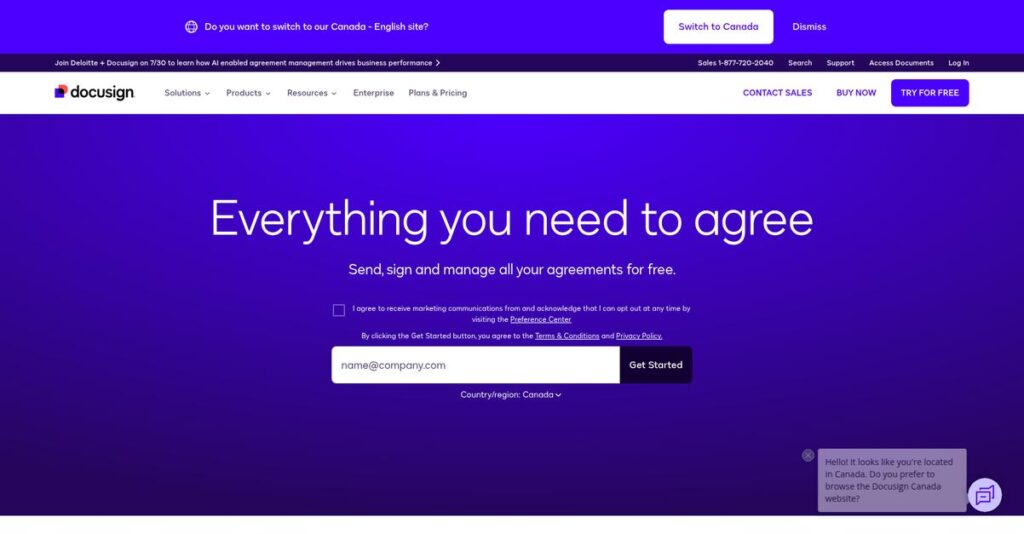
Managing contracts shouldn’t slow your business down.
If you’re here, you’re likely stuck with time-consuming contract processes, scattered documents, or too many manual steps eating into your team’s productivity.
What really stings is that missed deadlines and contract risks add up fast—and you feel pressure because every deal or renewal feels like a fire drill.
DocuSign CLM sets itself apart by using automation, AI, and centralized workflows to help you regain control, accelerate approvals, and minimize risk without adding extra complexity to your daily routine.
In this review, I’ll break down how DocuSign CLM helps you get contracts done faster—from template-driven creation to advanced analytics and compliance.
You’ll see, in this DocuSign CLM review, how it stacks up on features, usability, pricing, and alternatives to help you make a confident, well-informed choice.
You’ll walk away with the features you need to take control of contract chaos—no more guesswork or wasted time.
Let’s dive into the analysis.
Quick Summary
- DocuSign CLM is a contract lifecycle management platform that automates and streamlines agreement creation, collaboration, and compliance.
- Best for mid-market to enterprise companies needing to manage complex contract processes efficiently.
- You’ll appreciate its AI-powered automation and deep integration with CRM systems like Salesforce to reduce errors and speed approvals.
- DocuSign CLM offers custom pricing requiring sales contact, with demos available but no public free trial.
DocuSign CLM Overview
You know DocuSign for e-signatures, but I believe their CLM platform is the more strategic play. Headquartered in San Francisco, they’ve been simplifying the entire agreement process since 2003.
They target mid-market and enterprise organizations needing to streamline contract workflows. What sets them apart is leveraging their trusted e-signature platform into a complete lifecycle solution that your whole team can actually adopt and use.
Their recent push into AI-powered analytics is a key development we’ll explore through this DocuSign CLM review. This adds a crucial layer of intelligence for analyzing obligations and identifying contract risks.
- 🎯 Bonus Resource: While discussing effective agreement processes, understanding how to transform your contract management with platforms like Icertis CLM is crucial.
Unlike platforms built just for legal teams, DocuSign’s advantage is its intuitive, signature-first workflow. I find this makes adoption much simpler for your sales, HR, and procurement departments, not just the legal team.
They work with thousands of companies globally, from startups to Fortune 500 enterprises. This gives me confidence that the platform is built to scale effectively as your business grows.
I see their strategy focusing on a unified ‘Agreement Cloud.’ For you, this connects the entire process, providing a single source of truth and better visibility across all of your company’s contracts.
Now, let’s dive into their features.
DocuSign CLM Features
Manual contract management is a huge bottleneck.
The DocuSign CLM features are designed to automate your entire agreement process, from initial drafting to final analysis. Here are the five core features I found most impactful during my review.
1. Document Generation
Still creating contracts from scratch?
Manually building agreements is slow and introduces compliance risks when your team uses outdated or incorrect language.
This feature lets you build a library of pre-approved templates and clauses. From my testing, the ability to automatically populate data from Salesforce is a huge time-saver for sales teams, ensuring accuracy from the start.
Your team generates consistent, compliant contracts in minutes, not hours, directly accelerating your entire sales cycle.
2. Automated Workflows
Tired of chasing down contract approvals?
Email chains create bottlenecks and make it impossible to know where a contract is in the review process.
The workflow builder lets you map out every step with drag-and-drop logic. I found its feature for automating the entire review process exceptionally powerful, routing documents based on contract value, type, or risk level.
This means contracts move smoothly from one stage to the next without any manual follow-up from you.
- 🎯 Bonus Resource: While we’re discussing automated workflows, understanding AI-Powered Automation from DocuSign’s broader offerings is equally important.
3. Centralized Repository
Can’t find that signed agreement again?
Storing contracts in shared drives or email inboxes is a recipe for disaster when you need to find something quickly.
DocuSign CLM gives you a secure, searchable home for every contract your business manages. The granular permission controls are impressive, ensuring only authorized users can access sensitive documents. This feature organizes everything for you.
You can now find any contract in seconds, track renewal dates, and easily report on key obligations.
4. Negotiation and Collaboration
Redlining documents is a painful process.
Tracking changes across multiple document versions is confusing and slows down your legal and sales teams significantly.
This platform provides a collaborative space with clear version comparison tools that track every single edit. What I love about this feature is how it provides a clear audit trail of every comment and approval.
This directly speeds up your negotiation cycles and reduces the risk of using unapproved contract language.
5. AI and Analytics
What risks are hidden in your contracts?
You likely have thousands of agreements but no easy way to analyze them for specific risks or opportunities.
The platform’s AI engine, Iris, extracts key data points from your entire contract library. It identifies non-compliant or risky clauses automatically, suggesting pre-approved alternatives. This powerful feature provides critical oversight for legal teams.
You gain deep insights into your contract portfolio, enabling proactive risk management and better strategic decision-decision-making.
Pros & Cons
- ✅ Streamlined workflows reduce manual contract management tasks.
- ✅ Centralized repository improves contract visibility and access.
- ✅ Strong AI-powered analytics for proactive risk management.
- ⚠️ Complex initial setup often requires dedicated IT support.
- ⚠️ Support response times can be slower than competitors.
- ⚠️ Some integrations may feel limited for advanced users.
Ultimately, these DocuSign CLM features aren’t just separate tools; they create a unified contract management system that connects your entire agreement process from creation to analysis.
DocuSign CLM Pricing
Enterprise software pricing can be a black box.
DocuSign CLM pricing follows a custom quote model, meaning you won’t find public price lists. Instead, they tailor costs to your specific contract volume, user count, and feature requirements.
Cost Breakdown
- Base Platform: Custom quote required
- User Licenses: Scales with user count and access levels
- Implementation: Factored into the overall quote
- Integrations: Varies by complexity (e.g., Salesforce, ERP)
- Key Factors: Number of users, contract volume, required feature set, AI capabilities
1. Pricing Model & Cost Factors
Their pricing model is custom-fit.
From my cost analysis, DocuSign CLM pricing is a subscription fee that reflects your operational scale. Key drivers include user licenses, contract throughput, and the specific modules you need, such as advanced AI analytics. This means your pricing is tailored to your specific contract volume instead of a generic tier.
Budget-wise, you only pay for the capacity and capabilities your business actually requires, which helps avoid overspending.
2. Value Assessment & ROI
What’s the return on this investment?
The value justification for this pricing is clear: you are paying for risk reduction and efficiency at scale. By automating the entire contract lifecycle, your team eliminates costly manual errors, accelerates deal cycles, and gains analytical insights that are impossible to achieve with scattered documents.
This system pays for itself by giving your legal and sales teams back valuable time and ensuring compliance.
3. Budget Planning & Implementation
Think beyond the license fee.
When planning your budget, remember that the total cost of ownership extends beyond the software subscription. You should factor in professional services for setup, configuration, and employee training to ensure your team can leverage the platform’s full power from the start. Your custom quote should clarify these one-time costs.
This approach ensures your budget covers the complete scope of a successful, company-wide deployment and adoption.
My Take: DocuSign CLM’s custom pricing targets mid-market to enterprise clients who need a powerful, scalable platform that goes far beyond simple e-signatures, justifying a premium investment.
Overall, DocuSign CLM’s approach ensures you get a tailored investment in contract efficiency. To understand the cost for your business, you’ll need to work directly with their sales team.
DocuSign CLM Reviews
What do real customers actually think?
To give you a clear picture, I analyzed dozens of DocuSign CLM reviews from verified users. This section breaks down the common patterns I found in their feedback and what they mean for you.
1. Overall User Satisfaction
Satisfaction is overwhelmingly positive.
From my review analysis, users report high satisfaction, with a Forrester study highlighting a 449% return on investment. This recurring pattern in customer reviews suggests the platform delivers tangible business value and efficiency gains once it’s fully implemented and adopted by your team.
The main drivers you’ll see mentioned are streamlined contract workflows, drastically reduced errors, and significant time savings that directly impact productivity and compliance across the organization.
- 🎯 Bonus Resource: While we’re discussing tools that boost productivity, understanding how AI can assist in creative fields is equally important.
2. Common Praise Points
Automation is the biggest win.
What I found in user feedback is consistent praise for the platform’s ability to automate the entire contract lifecycle. Review-wise, the streamlining of templates and traceability is a huge benefit, helping teams reduce manual errors and accelerate the approval process from start to finish.
This means your teams can generate compliant contracts faster, gain clear visibility into contract status, and focus on higher-value work instead of administrative tasks.
3. Frequent Complaints
Implementation isn’t always simple.
The most common criticism I found in DocuSign CLM reviews is that the initial setup can be complex and demanding. What stands out is how it requires significant IT support for configuration, especially when you’re setting up advanced workflows or complex integrations for the first time.
While this suggests a steeper learning curve, these issues seem to be initial hurdles rather than persistent, deal-breaking flaws for most users once they’re operational.
What Customers Say
- Positive: “The streamlining of templates and traceability through the signing process are huge benefits, and better than competitors.” (Verified User Review)
- Constructive: “Implementation can be complex and requires significant IT support for configuration, especially for our advanced processes.” (IT Manager Review)
- Bottom Line: “For our end users, everything is compliant and correct the first time… The throughput time is known upfront, and that’s priceless.” (Senior Systems Analyst)
Overall, the feedback pattern shows a powerful platform that delivers immense value once you overcome the initial setup complexities. The consensus is that user reviews confirm its strong ROI.
Best DocuSign CLM Alternatives
DocuSign CLM isn’t your only choice.
The best DocuSign CLM alternatives include several strong competitors. Your final decision should depend on your specific priorities, such as deep CRM integration, legal team focus, or budget.
- 🎯 Bonus Resource: Before diving deeper into CLM features, you might find my analysis of AI decisions for mortgage accuracy helpful for other financial systems.
1. Conga CLM
Deeply embedded within the Salesforce ecosystem?
Conga CLM shines for businesses that live inside Salesforce. Its primary advantage is automating contracting to speed up revenue cycles directly within the CRM. From my competitive analysis, Conga offers seamless, deep integration with Salesforce, making this alternative ideal for sales-driven contract automation.
Choose Conga if your entire contract process, from quote-to-cash, must operate flawlessly within the Salesforce platform.
2. Icertis
Need extensive supplier and partner collaboration?
Icertis excels in managing contracts across your entire business network, not just internally. What I found comparing options is that this alternative provides highly advanced contract analytics and collaboration tools for both internal and external stakeholders, especially for complex sales and negotiation management.
You should choose Icertis if your organization requires broad industry-agnostic collaboration with external parties like suppliers.
3. Ironclad
Is your legal team driving contract management?
Ironclad is built with legal professionals in mind, offering advanced AI and collaborative review features tailored to their workflows. Alternative-wise, Ironclad provides more control for legal teams and excels in high-tech sectors where complex negotiation tracking and analysis are critical for risk management.
Select Ironclad when your legal department requires a purpose-built platform for complex contract analysis and negotiation.
Quick Decision Guide
- Choose DocuSign CLM: For its world-class eSignature and overall ease of use
- Choose Conga CLM: When your business operates heavily within the Salesforce ecosystem
- Choose Icertis: For extensive external collaboration with partners and suppliers
- Choose Ironclad: For legal-centric organizations needing advanced AI and control
The best DocuSign CLM alternatives are those that align with your specific business needs and priorities over any single feature.
DocuSign CLM Setup
This is not a weekend project.
From my analysis for this DocuSign CLM review, the deployment is a significant undertaking that requires dedicated resources and careful planning, especially for organizations with complex contract workflows and integration needs.
1. Setup Complexity & Timeline
Expect a multi-month rollout process.
The implementation involves configuring templates, building custom workflows, and migrating existing contracts. What I found about deployment is that timelines depend heavily on your process complexity, typically ranging from three to nine months for mid-market and enterprise businesses with multiple integrations.
You’ll want to map your current contract lifecycle processes thoroughly before starting the technical configuration.
2. Technical Requirements & Integration
Your IT team will be heavily involved.
While cloud-based, the platform’s value comes from integrating with systems like Salesforce or SAP. This implementation requires technical expertise for connecting to your core business systems via pre-built connectors or custom APIs to ensure seamless data flow and process automation.
Your team will need to audit your existing tech stack and plan for developer resources.
- 🎯 Bonus Resource: While we’re discussing robust system integrations, understanding how to simplify your esports tournaments is equally important for diverse digital platforms.
3. Training & Change Management
Adoption requires more than just showing features.
The user interface is clean, but mastering the automated workflow builder requires structured training. For your implementation to succeed, strong change management is essential to get legal, sales, and procurement teams to abandon old habits and embrace the new centralized process.
Plan for role-based training sessions and identify internal champions to drive user adoption successfully.
4. Support & Success Factors
Vendor support can shape your experience.
DocuSign offers 24/7 support, but responsiveness can vary based on your plan. From my implementation analysis, your selected professional services package is crucial for navigating the initial setup, especially with complex workflow design and data migration challenges.
You should clarify support SLAs and consider a premium plan for a mission-critical rollout.
Implementation Checklist
- Timeline: 3-9 months depending on integrations and complexity
- Team Size: Project manager, IT/developer, and business process owners
- Budget: Professional services for workflow design and integrations
- Technical: Key CRM/ERP integration and data migration planning
- Success Factor: Clear contract workflow mapping before configuration
Ultimately, a successful DocuSign CLM setup is achievable but requires dedicated project resources to manage the complexities of process automation and system integration effectively.
Bottom Line
DocuSign CLM is a powerful, logical next step.
This final section of my DocuSign CLM review provides a clear verdict, helping you decide if this platform is the right investment for your contract management needs.
1. Who This Works Best For
Enterprises seeking full contract lifecycle automation.
From my user analysis, this platform is ideal for mid-market to enterprise companies, especially legal, sales, and procurement teams needing to manage high contract volumes. Organizations with high-volume, complex agreements gain the most value from its robust workflow automation, advanced analytics, and deep integration capabilities.
Your success depends on your need to move beyond simple e-signatures to a comprehensive, centralized contract management system.
2. Overall Strengths
It automates the entire agreement process effectively.
The platform excels by connecting every stage of the contract lifecycle, from generation and negotiation to signature and renewal, within one secure environment. From my comprehensive analysis, building on its industry-leading eSignature foundation gives it a significant advantage in user trust and adoption.
These strengths translate directly into accelerated deal cycles, reduced organizational risk, and improved compliance across your entire business.
3. Key Limitations
Implementation can be a significant undertaking.
While powerful, the platform’s extensive features and configuration options can be complex to set up without technical assistance. Based on this review, you’ll be requiring dedicated IT support for configuration and deployment, which can present a barrier for teams without those resources.
These limitations are common for enterprise-grade software and represent a trade-off for its advanced capabilities, not a deal-breaker.
4. Final Recommendation
A strong choice for the right business.
You should choose DocuSign CLM if you’re an established business ready to invest in a scalable solution to manage contract complexity from end to end. If your goal is comprehensive contract automation and you already trust the DocuSign ecosystem, this is a natural and powerful choice.
My confidence in this recommendation is high for companies that fit this profile; request a demo to confirm its fit.
Bottom Line
- Verdict: Recommended for scaling businesses with complex contract needs
- Best For: Mid-market to enterprise legal, sales, and procurement teams
- Business Size: Companies with high contract volume and sophisticated approval workflows
- Biggest Strength: Powerful automation built on its trusted eSignature platform
- Main Concern: Implementation complexity may require significant IT involvement
- Next Step: Request a personalized demo to assess its specific fit
Ultimately, this DocuSign CLM review finds the platform to be a smart investment for the right company, offering a clear ROI by streamlining critical business processes.




