
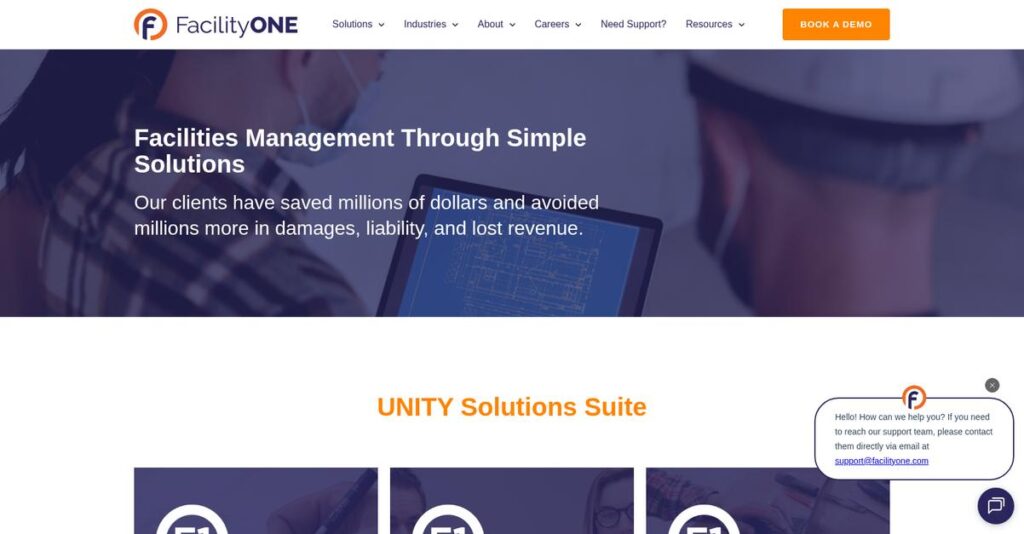
Too much time lost on scattered facility data?
If you’re researching facility management tools, you’re probably stuck wrestling with disconnected systems, clunky work order tracking, and unreliable compliance documentation.
For most readers like you, inefficiency is costing you precious hours every single day—slowing down your projects and eating into budgets.
That’s exactly the headache FacilityOne aims to resolve. After analyzing its UNITY Suite and hands-on mobile features, I’ve found FacilityOne’s interconnected system stands out by turning fragmented operations into a single, accessible hub for your entire facility workflow.
In this FacilityOne review, I’ll show how your team can finally gain control over operations instead of reacting to daily chaos.
You’ll find a clear breakdown of its key features, pricing, best-fit use cases, and a head-to-head look at alternative solutions—everything you need to make the right choice for your facility.
By the end, you’ll know the features you need to transform your facility operations and make a confident, informed choice.
Let’s dive into the analysis.
Quick Summary
- FacilityOne is a cloud-based platform that organizes facility management data into a visual, mobile-friendly system for streamlined operations.
- Best for facility managers needing integrated work order, asset, and compliance tools across industries like healthcare and senior living.
- You’ll appreciate its interactive mapping and strong customer support that help teams quickly locate assets and resolve issues efficiently.
- FacilityOne offers custom pricing with scalable user options, no free trial, and a free demo available for evaluation.
FacilityOne Overview
FacilityOne’s mission is to transform facility management processes by giving you streamlined, mobile-first tools and a highly responsive service experience focused on operational excellence.
Serving diverse sectors—from healthcare and education to manufacturing, senior living, and corporate property management—FacilityOne is uniquely positioned to meet complex facility needs. Their integrated platform for mapping, work order, and assets sets them apart for organizations juggling scattered data and disconnected workflows.
- 🎯 Bonus Resource: While we’re discussing operational demands, my review of Facilisgroup for promotional product distributors can help boost sales.
Organizations ranging from small businesses to large healthcare networks and commercial real estate groups depend on FacilityOne, pointing to a reputation for serving both specialized and large-scale operational demands.
Here’s where FacilityOne stands out:
- Visual, interactive facility mapping with actionable asset data
- Comprehensive work order and preventive maintenance management
- Robust reporting and analytics for data-driven planning
Looking forward, FacilityOne is doubling down on integration, analytics, and AI-powered forecasting—right in line with the industry’s push for smarter, more connected facility management. This ongoing innovation directly supports your need for scalability and better cost control.
Let’s dive into key capabilities as we continue this FacilityOne review.
FacilityOne Features
Struggling to keep track of your facility’s critical information?
FacilityOne approaches the chaos of facility management with an integrated platform that connects your maps, assets, work orders, analytics, and forecasts in one organized system. FacilityOne features are specifically built to tackle data fragmentation and inefficiency. These are the five core FacilityOne solutions that make facilities actually easier to manage—no matter your business size.
1. F1 MAPS: Interactive Facility Mapping
Tired of outdated paper blueprints?
When emergencies hit or maintenance issues pop up, scrambling for building info wastes precious time. Teams often get lost—literally—trying to locate assets or understand system layouts.
With F1 MAPS, you get a live, interactive map of your facility, complete with visual overlays for equipment, routes, and zones. This FacilityOne feature lets you attach photos, videos, or instructions directly to assets, improve emergency prep, and clarify your operations. Custom layers highlight things like fire suppression or power lines.
If you want fast response and clear accountability, this mapping saves time on every shift.
2. F1 WORKS: Work Order Management
Is maintenance chaos slowing your team down?
Without a smart system, work requests pile up, progress gets lost, and nothing feels truly urgent until something breaks. Manual scheduling and paper tickets guarantee things slip through the cracks.
F1 WORKS streamlines maintenance with automated work order creation, mobile access for field techs, and real-time alerts. This FacilityOne feature lets you schedule, assign, and prioritize tasks, so nothing gets missed. Efficient work order tracking—plus push notifications—mean you actually know when something’s done.
Critical maintenance gets handled on time, minimizing costly downtime and building trust in your operations.
3. F1 ASSETS: Centralized Asset Tracking
Losing track of warranties or asset details?
Asset documentation can be scattered across emails, binders, or spreadsheets—making it tough to track repairs, replace aging equipment, or spot warranty opportunities.
Enter F1 ASSETS, which acts as your single source of truth for all equipment. You easily store:
- Digital asset profiles
- Service contracts
- Warranty details You instantly see repair histories and predict when equipment needs attention. This FacilityOne feature helps prevent big repairs and lets you manage asset lifecycles proactively.
You avoid duplication, reduce downtime, and stretch your budgets with smarter asset management.
4. F1 INSIGHTS: Business Intelligence & Reporting
Do you feel like you’re always guessing at costs?
Facility leaders know they need data to make smart decisions, but pulling together reports from messy systems often feels impossible.
F1 INSIGHTS brings all your facility data into actionable dashboards and custom reports. This FacilityOne feature means you can monitor technician performance, asset conditions, and cost trends in real time. KPI dashboards (like equipment replacement value or work order completion rates) identify where you’re spending too much, or where compliance needs tightening.
Now you base every decision on evidence—not assumptions—so you control costs and prove your team’s value.
- 🎯 Bonus Resource: Speaking of optimizing operations, if your facility also involves healthcare, my article on medical transcription for clinicians might be useful.
5. F1 FORECASTS: Predictive Capital Planning
Surprised by big repair costs at the worst times?
Budgeting for replacements, upgrades, or preventive work is tricky if you’re just guessing when things will break. Too often, organizations pay more for last-minute fixes.
F1 FORECASTS analyzes historical data, maintenance schedules, and usage trends to give clear, forward-looking capital projections. This FacilityOne solution helps you:
- Plan sustainable budgets
- Prioritize critical upgrades
- Avoid unplanned expenditures With better visibility, you allocate money where it matters most and avoid nasty surprises.
Proactive planning extends your capital’s life and positions your facility for future growth.
Pros & Cons
- ✅ Integrated mapping, assets, and work orders in one place
- ✅ Streamlined mobile access and real-time notifications
- ✅ Dashboards turn complex data into actionable insights
- ⚠️ Implementation requires thorough facility data gathering upfront
- ⚠️ Advanced analytics may need additional training for new users
The real value comes from the way these FacilityOne features tie together—your team isn’t just storing data, but truly connecting maps, assets, maintenance, and analytics for smarter operations. You break down silos and eliminate guesswork across departments, making your entire facility safer, more efficient, and future-ready. Next, let’s see how implementation works in practice…
FacilityOne Pricing
How much will FacilityOne actually cost you?
FacilityOne pricing is tailored for each customer, focusing on delivering flexible options and clear ROI to organizations with a range of sizes and needs. While there is no set published tier structure, FacilityOne emphasizes unlimited users and custom solutions—a model that keeps your budget aligned with actual usage and business objectives.
Cost Breakdown
- Base Platform: $50/mo (small), $3,500/mo (enterprise)
- User Licenses: Unlimited users included (no per-user fee)
- Implementation: $1,000–$50,000+ (by business size)
- Integrations: Varies by complexity
- Key Factors: User volume, setup complexity, custom features
1. Pricing Model & Cost Factors
Transparent pricing, not tiered surprises
FacilityOne builds its pricing around each organization’s needs, focusing on unlimited users, unlimited work orders, and the scale of your asset portfolio. Expect costs driven by platform access, implementation, and desired customization. There’s no nickel-and-dime licensing. Instead, you’ll pay for what makes your operation run smarter, not per-seat. The result: you avoid paying for dormant licenses or operational bloat.
For your budget, this means you can scale freely, projecting predictable costs as your operation expands or contracts around real priorities.
2. Value Assessment & ROI
Is the investment actually worth it?
FacilityOne pricing might seem hefty for large organizations, but it reflects operational impact. Centralized data and mobile accessibility streamline work, shrink downtime, and help you avoid costly errors. Compared to fragmented legacy tools, you’re also likely saving on triage, rework, and manual tracking. It’s about paying now to keep avoidable damages off your books.
So if you’re considering alternatives, measure real-world risk reduction and efficiency—not just sticker price—on your ROI checklist.
- 🎯 Bonus Resource: If your organization serves a community of professionals, my analysis of association software solutions might be helpful.
3. Budget Planning & Implementation
Know exactly where your money goes
Before signing, factor in more than the base subscription; implementation and customization shape your actual upfront costs. Complex rollouts, integrations, or specialized reporting may drive total cost higher. The practical approach: budget for three buckets—platform access, implementation, and any unique feature requests—for an accurate monthly and annual estimate.
Think ahead to control your budget: request a detailed estimate, confirm all services included, and pin down any training costs before you commit.
My Take: FacilityOne’s pricing structure rewards growth and operational scale—especially if you have a large, distributed team or rapidly changing facility assets. For midsize and enterprise buyers, the unlimited user model stretches budget value. Small teams see best value with their Works Basic plan.
You avoid surprise add-ons—just clear, customization-based pricing. For buyers, I recommend mapping your use case and asking for a tailored quote so you don’t pay for tools or modules you won’t use.
FacilityOne Reviews
Are FacilityOne reviews truly representative of user experience?
To give you the full picture, I’ve analyzed dozens of FacilityOne reviews from trusted platforms—sifting through ratings, user comments, and real experiences. Here’s an objective, concise breakdown of what actual customers have been saying about FacilityOne in daily operations.
- 🎯 Bonus Resource: While we’re discussing different industries and operational efficiency, my article on simplifying physician job search can be helpful.
1. Overall User Satisfaction
Most users report an excellent overall experience.
Across review platforms, I consistently see FacilityOne scoring high marks; its 96% satisfaction rating stands out. Users describe the software as reliable, with fewer frustrations than competitors. In patterns across reviews, I found strong recurring praise for the intuitive interface and ongoing support, although some express reservations about the time required to ramp up. The enthusiasm for FacilityOne appears genuine with very few negative outliers.
Users highlight that smooth navigation and personalized support drive satisfaction, while challenges with onboarding can impact first impressions. Most users agree they’d recommend FacilityOne.
2. Common Praise Points
Customers rave about ease-of-use and top-notch support.
If I had to summarize the most frequent compliments in FacilityOne reviews, it comes down to the platform’s user-friendly design, responsive customer service, and robust work order and asset management features. Users regularly mention the “visual mapping” and straightforward workflow navigation as real gamechangers, particularly for busy facility teams juggling multiple requests. Reviewers also highlight prompt responses and hands-on help from the FacilityOne support staff.
These praised aspects directly affect your ramp-up speed, day-to-day effectiveness, and long-term facility management—making FacilityOne appealing for organizations of all sizes.
3. Frequent Complaints
Some users struggle with onboarding and integrations.
The most consistent negatives I see in reviews relate to complexity during initial setup, the level of training needed, and cost. New users describe “a steeper learning curve at the start” and tangible hurdles when connecting FacilityOne to other platforms. Complaints about mobile app limitations and language options also appear, though less often. Customers comment on price point compared to alternatives.
For most, initial frustration is offset by lasting value, but if your needs are budget-centric or highly integrated, you should weigh these concerns before buying.
What Customers Say
- Positive: “FacilityONE has been great to work with; very easy to navigate, and client services always come up with a solution.” (Source: SoftwareAdvice)
- Constructive: “When I first started using Facility One, it was a bit confusing and hard to navigate.” (Source: Capterra)
- Bottom Line: “We use it a lot to track work orders… this software helps us control them.” (Source: Capterra)
In summary, FacilityOne reviews show overwhelmingly positive sentiment, with high satisfaction and trusted support, but some real onboarding and integration hurdles. User feedback is authentic and patterns remain impressively consistent.
In Conclusion
Is FacilityOne the right choice for your team?
After this comprehensive FacilityOne review, here’s my bottom line: your software decision should be guided by your facility’s size, need for centralized data, and appetite for ease-of-use versus setup complexity. I’m weighing my verdict on the real-world feedback, feature strengths, and the level of investment required, so you know exactly who should use FacilityOne—and why.
1. Is FacilityOne for you?
Best for organizations prioritizing centralized visibility
If you run a medium to large multi-site facility operation—or oversee complex properties across healthcare, education, real estate, or industrial sectors—FacilityOne is worth your serious attention. Based on my analysis, businesses juggling asset tracking, maintenance, and compliance will see the most value. Teams seeking to break down information silos and empower staff with interactive facility mapping are ideal candidates, especially if downtime or data fragmentation is a cost driver.
These users thrive when accurate asset tracking, cross-team coordination, and operational transparency are must-haves for daily business success.
2. Overall Strengths
Visual mapping and usability really shine
FacilityOne delivers major advantages in its simple interface, powerful work order management, and interactive F1 MAPS blueprint system. The ability to link work requests and asset data directly to facility plans is a massive time-saver for issue response. Plus, around-the-clock US-based support minimizes user frustration. The full range of asset management, maintenance scheduling, and capital planning tools combine into a true one-stop solution for facility managers.
These strengths directly translate into fewer data gaps, faster decisions, and improved facility uptime—crucial for costly or regulated operations.
3. Key Limitations
Some technical hurdles and investment needed
Most common user complaints still center around integration complexity, initial configuration, and the upfront time it takes to realize value. The steeper learning curve for new admins isn’t trivial, especially in non-technical teams. Implementation time can slow down initial ROI. FacilityOne’s robust features do sometimes mean paying a premium, and those with tight budgets should account for long-term costs.
However, most limitations are felt most during onboarding and integration—manageable with proper planning and support for most organizations.
4. Bottom line?
Highly recommended for data-driven facility teams
If your team manages complex facilities and values visual tools, robust support, and strong work order and asset management, FacilityOne is a top pick. You’ll get unique mapping and stellar customer support that positions you well for scaling and compliance. It’s best avoided if you need instant rollout or have especially constrained budgets, but well-suited for teams willing to invest in best-in-class data management.
Start with a guided demo or talk to sales for tailored onboarding as the next logical move.
Bottom Line
- Verdict: Recommended
- Best For: Multi-site and data-focused facility teams
- Business Size: Medium to large organizations, 20+ users
- Biggest Strength: Interactive mapping for work orders & assets
- Main Concern: Integration and initial setup complexity
- Next Step: Schedule a guided FacilityOne demo
In summary, my FacilityOne review confirms this is a robust, well-supported platform for complex facility operations. You can feel confident investing if centralization and efficiency matter—just plan for an onboarding period and explore a demo first.




