
Tired of crop data chaos?
If you’re researching FarmQA, chances are your team is swamped with disconnected data, inefficient field operations, and pressure to deliver actionable insights for every acre.
Let’s face it—the constant juggling of complicated data tools leaves you burnt out, and worse, keeps your advisors from making timely, confident decisions.
That’s exactly where FarmQA steps in. After analyzing its powerful new analytics, integration with ExtendAg, and streamlined nutrient tools, I see how FarmQA connects all your field data, cuts down your admin burden, and delivers real-time crop insights that matter.
In this FarmQA review, you’ll see how to finally make faster, stress-free decisions from a single platform, whether you’re an advisor, agronomist, or part of a grain alliance.
You’ll discover not just the core FarmQA features, but also pricing updates for 2025, real-world pros and cons, and direct alternatives—so you can compare with complete clarity.
If you want the features you need to confidently select (or skip) FarmQA, you’re in the right place.
Let’s dive into the analysis.
Quick Summary
- FarmQA is a digital agronomy platform that helps agronomists collect field data, create crop recommendations, and manage fertility plans efficiently.
- Best for agronomists, crop consultants, and agricultural advisors managing field operations and crop health.
- You’ll appreciate its mobile-first design that supports offline scouting and integrates detailed data for timely, actionable insights.
- FarmQA offers user-based annual subscriptions starting at $800 per agronomist and a 14-day free trial for scouting features.
FarmQA Overview
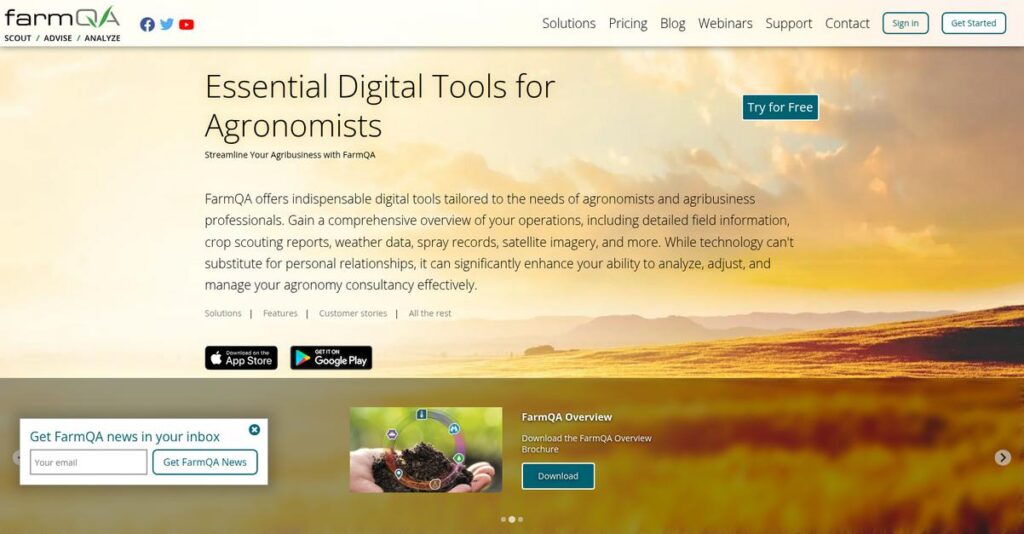
FarmQA empowers agribusiness professionals to optimize field operations and outcomes by using digital tools rooted in agronomic quality assurance and actionable, data-driven decisions.
From what I’ve seen, FarmQA specifically serves independent crop consultants and large-scale agricultural service providers needing robust crop management, prescription tools, and integration with industry data sources. That niche focus really separates them from more generic farm management platforms and drives real operational improvements.
You’ll find that FarmQA is used by agronomy firms, co-ops, grain handlers, and agricultural advisors managing tens of millions of acres—clearly signaling strong adoption across scalable operations and trusted advisory networks.
Here’s where FarmQA stands out:
- 🎯 Bonus Resource: While we’re discussing operational improvements, understanding invoice automation for veterinarians is equally important.
- Deep specialization for crop consultants and agronomic advisors
- Powerful, integrated scouting and prescription capabilities
- Fast-growing industry presence validated by recent investor backing
Looking ahead, FarmQA is doubling down on AI analytics, data integrations, and real-time crop insights—directly addressing market demands for efficiency, traceability, and informed decision support.
Let’s dive into their features section of this FarmQA review to discover how it might elevate your agronomy workflow.
FarmQA Features
Tired of losing critical field data in paperwork?
FarmQA takes a unified approach to digital agronomy, offering an integrated platform that combines scouting, recommendations, imagery, and more. The focus is on helping agronomists and consultants like you replace chaotic spreadsheets and fragmented tools. Here are the five main FarmQA features that directly address the core challenges of field data management and agronomic decision-making.
1. Mobile Crop and Field Scouting
Paper-based scouting wastes time and leads to errors.
Manually recording crop observations during scouting trips is tedious and prone to mistakes—not to mention, it’s easy to lose or misfile important notes.
FarmQA’s mobile scouting feature lets you collect field data right in the field—online or offline—using customizable templates for any crop or region. With photo capture, map annotations, and geo-location, you quickly record pest pressure, weeds, disease, and more. It even gives you directions to the exact field entrance.
By digitizing data entry, you speed up reporting, improve accuracy, and spot field issues before they become costly problems.
2. Recommendations and Prescription Writing
Making agronomic recommendations shouldn’t be a paperwork nightmare.
Juggling tank mix formulations, EPA labels, and prescription details by hand takes too long and increases risk of errors that impact yields and compliance.
FarmQA’s recommendation writing feature allows you to draft crop input recommendations fast—reuse tank mixes, attach labels, and create machine-ready prescriptions. Variable rate prescriptions pull from field data and formulas to guide precise application of fertilizers, pesticides, and other inputs. FarmQA features even let you automate rate calculations based on conditions.
You deliver better, more timely advice to clients, optimize input use, and build trust through clear, accurate communication.
3. Soil Sampling and Fertility Planning
Soil management is complex if your data is scattered.
Coordinating samples, lab data, and fertility plans can get messy if you’re constantly switching between platforms, or worse—managing it all with spreadsheets.
FarmQA gives you a robust sampling and nutrient planning feature where you track sampling points, upload test data, and plan custom nutrient blends. Automated imports from labs like Agvise and CSV uploads keep all your soil fertility data in one place. The Advanced Prescriptions and Nutrient Blender tools are recent standouts.
You get to create precise, tailored fertility strategies, use resources more efficiently, and drive greater crop performance from every acre.
4. Advanced Satellite Imagery and Map Layers
Spotting crop issues late can crush your margins.
It’s frustrating to learn about field variability or pest outbreaks only after significant losses—especially when you didn’t have the right imagery or spatial data when you needed it.
FarmQA pulls in advanced satellite imagery—Planet, Sentinel, and more—providing NDVI/NDRE crop health updates nearly daily. You can overlay management zones, custom field maps, and even GPS soil data to see trends and diagnose issues early. Importing your own imagery is a breeze as well.
By diagnosing field hotspots faster, you solve problems before they escalate and make genuinely data-driven recommendations.
- 🎯 Bonus Resource: Before diving deeper, if you’re also looking to automate construction payroll to save valuable resources, this article can help.
5. Task Management and Workflow Automation
Field operations easily slip through the cracks.
Planning, assigning, and tracking field tasks is overwhelming if you rely on texts, emails, or memory—leading to late or missed activities that cost money and trust.
FarmQA’s task management feature is built specifically for agriculture. You can create, assign, and monitor every task—planting, spraying, sampling—in one dashboard. The real power comes from linking tasks directly to scouting data, so actions always follow up on crop issues that matter most.
With better coordination, you reduce delays and manual errors, making your entire operation far more productive and reliable.
Pros & Cons
- ✅ Exceptional digital scouting and mobile data capture
- ✅ Strong prescription writing and nutrient planning tools
- ✅ High-frequency satellite imagery for fast decision-making
- ⚠️ Learning curve for advanced features and integrations
- ⚠️ Limited public mapping integrations for some regions
Together, FarmQA features form a tight feedback loop—scouting data feeds prescriptions, maps support diagnosis, and tasks drive action—giving you a truly integrated agronomy management ecosystem. This unified approach minimizes data silos and maximizes operational efficiency, setting you up for stronger business results and happier clients.
FarmQA Pricing
How do FarmQA’s costs stack up?
When it comes to FarmQA pricing, what you’ll find is transparency and flexibility—every user role and module has a set cost, so your expenses always map to team size and features. Here’s exactly what you pay for each role and add-on.
| Plan | Price & Features |
|---|---|
| Full User (Agronomist/Admin) | $800/user/year • Unlimited fields and templates • Advanced analytics and reporting • Prescriptions and recommendations • Full soil/crop management |
| Scout/Grower User | $200/user/year • Unlimited scouting reports • Offline scouting & photos • Treatment recommendations access • Field observations |
| Driver User | $50/user/year • Turn-by-turn field navigation • Field access visibility • Location-only access |
| Viewer User | Free • Dashboard/map access • View-only rights • Analytics/map layers |
| Key Add-Ons | See details below • Advanced Prescriptions: $1,000/yr • White Label: $5,000–7,500/yr • Imagery: from $0.25–$1.25/acre/yr |
1. Value Assessment
Control your budget, pay for what matters.
FarmQA’s granular pricing means you only pay for staff who actually use advanced features, while essential users pay less. That’s a practical edge over blanket platform fees—it lets you carefully match cost to role and team growth. It outpaces acreage-based models if you scale users instead of acres or want operational transparency.
You can build a plan where your budget is always right-sized, especially for teams with many occasional users.
2. Trial/Demo Options
Test features before you commit cash.
FarmQA offers a 14-day free trial (or customized trial if you import fields), and you can see real data before you pay. Free tier viewer seats plus demonstrations makes the entry risk practically zero, so pricing decisions get easier with direct experience versus blind trust.
Kick the tires on user roles, scouting, and reporting tools so you’ll confirm real fit—saving costly missteps or overbuying.
- 🎯 Bonus Resource: Before diving deeper, you might find my analysis of marketing ad cost reduction helpful for optimizing customer acquisition.
3. Plan Comparison
Choose only the user access you really need.
The pricing model lets you blend paid and free user types, so you can add as many view-only or driver seats as needed for no/low cost. You avoid bloat and wasted budget if not everyone needs full access. Add-ons are entirely optional, so spend follows use.
If your business has a mix of experts and field staff, you’ll get a tailored spend—no one pays for extras they won’t use.
My Take: FarmQA’s user-based pricing is ideal for consulting groups, co-ops, and agencies who want to limit costs to real usage. Smaller farm teams can start free, while distributed teams can scale feature access only where it counts.
You get clear, modular pricing that aligns with each role—so your budget always tracks real field operations. For the best trial experience, I recommend starting small and layering on add-ons as you grow.
FarmQA Reviews
Are FarmQA reviews truly reflective of user experience?
To provide a transparent look at what it’s really like to use FarmQA, I’ve analyzed actual feedback from public FarmQA reviews and aggregated user insights. Here’s what real-world customers say about satisfaction, favorite features, persistent challenges, and overall patterns you should weigh before deciding.
- 🎯 Bonus Resource: Before diving deeper, you might find my analysis of Arcadia Review: Drive Higher Cost Savings helpful for optimizing financial outcomes.
1. Overall User Satisfaction
Users feel generally positive about FarmQA.
The sentiment I see is overwhelmingly favorable, with the majority of reviews describing their experiences as efficient, reliable, and impactful for their day-to-day work. Several users highlight how FarmQA helps them save time and communicate findings more easily. Customer loyalty and word-of-mouth recommendations stand out in these reviews. Many users mention they would and do recommend FarmQA to other consultants or agribusiness professionals.
What drives this satisfaction is FarmQA’s blend of ease-of-use, robust reporting, and attentive support—key for busy agronomists looking to make an impact.
2. Common Praise Points
Customization and customer service earn top marks.
What users consistently love in FarmQA reviews is the platform’s ability to tailor scouting templates for specific regions, crops, and pest pressures. Users appreciate the simplicity of setup and the clarity of generated recommendations and visuals. The quality and responsiveness of FarmQA’s support team receives frequent, specific praise. Reviewers say their questions get answered quickly, building trust in both the product and its people.
This means you can expect features that fit how you work, plus answers when you need them most—especially crucial in seasonal or time-sensitive agronomy roles.
3. Frequent Complaints
Real-world challenges are reported, but none major.
While reviews are largely positive, some users mention early learning curves, especially when first exploring the more advanced prescription or nutrient blending tools. I see few substantial feature criticisms in available reviews. What does surface tends to be requests for deeper integrations or enhanced offline capacities, not core functionality problems.
For your decision, these are mostly minor bumps—FarmQA’s active support and frequent updates mean most concerns get addressed before they disrupt your workflow.
What Customers Say
- Positive: “Customer service has been phenomenal. Ben was fast in helping me with any and all my issues.” (G2)
- Constructive: “Had a little learning curve with the prescription tools but support walked me through it.” (user feedback)
- Bottom Line: “Highly recommend FarmQA for agronomists and crop consultants.” (G2)
Overall, FarmQA reviews reveal consistent satisfaction, strong support, and practical tools while underlining responsive development to user input. This direct user feedback builds confidence about review credibility.
In Conclusion
Is FarmQA the right investment for your agribusiness?
Here’s my take—after a thorough FarmQA review, your decision should weigh your business size, technical needs, and appetite for mobile-driven workflows. This recommendation factors in features, user feedback, pricing, and ongoing support to help you move forward with confidence.
1. Is FarmQA for you?
Best for modern agronomy teams
If you run an agronomy service or ag retail business—typically mid-sized to large operations—FarmQA is built for you. Teams managing multiple growers, requiring easy mobile field data capture and advanced templating stand to benefit most. Its ability to customize scouting templates and prescriptions suits complex, multi-crop regions and consulting groups aiming to increase scale.
You’ll achieve best results if your work relies on timely field reporting, offline mobile access, and streamlined communication with growers.
2. Overall Strengths
Mobile efficiency meets practical usability
FarmQA stands out with flexible template tools, robust field mapping, and its fast, intuitive mobile app for field use. Agronomists praise its offline capability, tailored recommendations, and quality customer support. Pricing remains competitive for core features, with easy onboarding—making workflows in the field dramatically more efficient for busy teams.
These strengths help maximize valuable staff time and support higher service levels, key for agribusiness growth and operational ROI.
3. Key Limitations
Complex pricing and feature depth concerns
While FarmQA delivers on usability, its pricing can get confusing once add-ons like imagery and AI analytics are required. Some features that advanced users expect—deep integrations or advanced reporting—may cost extra. Public feedback on rare implementation issues is limited, so you may face a learning curve depending on your workflow.
For most teams, these are manageable trade-offs. Complexity rises with scale, so plan feature adoption and pricing scrutiny up front.
4. Bottom line?
I recommend FarmQA for ambitious agronomy teams
If you’re seeking a digital agronomy solution for scaling field operations, FarmQA delivers where it counts. Its mobile power, customization, and support impress most—especially for consultants and ag retailers. Just pay close attention to pricing tiers and future feature needs as you grow.
Ready to decide? I’m confident recommending FarmQA for mobile-first, data-driven agribusinesses aiming for scale and grower engagement.
Bottom Line
- Verdict: Recommended
- Best For: Agronomy services, ag retail, consultants
- Business Size: Mid to large teams (10+ users)
- Biggest Strength: Mobile field app with offline scouting
- Main Concern: Pricing complexity for advanced add-ons
- Next Step: Book a trial or guided demo
I’m confident this FarmQA review gives you the guidance you need—you can trust this pick for mobile-centric teams aiming to deliver more value per field. Take the next step below to see if FarmQA is right for you.




