
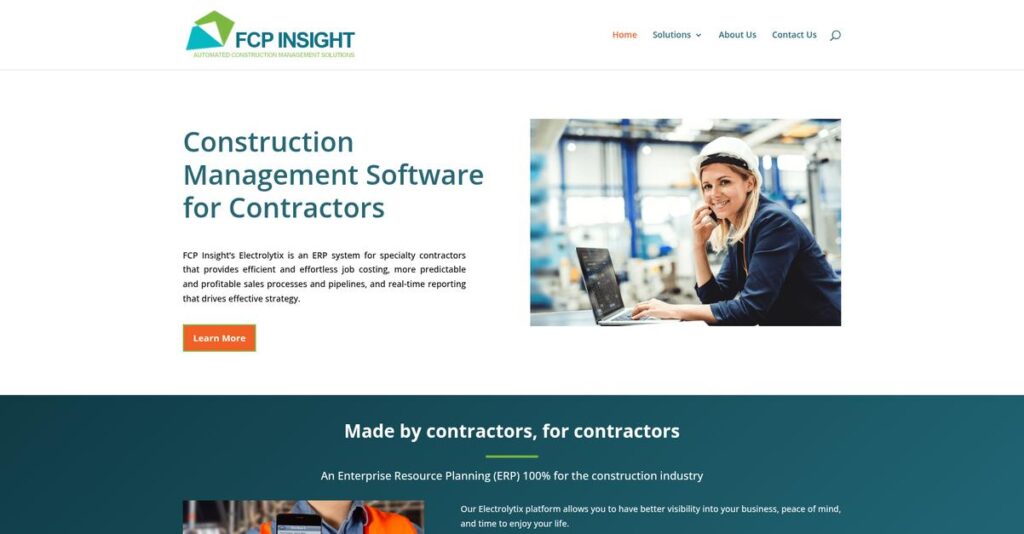
Struggling to unite your job costing and project data?
If you’re a specialty contractor, chances are you’re overwhelmed by disconnected software tools and inconsistent reporting. That’s likely why you’re researching FCP Insight today.
Let’s face it—the real issue is losing hours every week to chasing down the right numbers and dealing with scattered information just to keep projects on track.
FCP Insight tackles this head-on, offering an affordable ERP built by contractors for contractors, unifying project management, cost tracking, and real-time reports in one platform. Their approach eliminates data silos so you spend less time scrambling and more time growing your business.
In this FCP Insight review, I’ll show you how to turn messy manual processes into accurate, integrated workflows that help you stay profitable and in control.
You’ll get an up-close look at FCP Insight’s features, practical use cases, flexible pricing, and alternatives for a true apples-to-apples evaluation.
You’ll walk away knowing the features you need to finally make a confident, informed decision for your team.
Let’s dive into the analysis.
Quick Summary
- FCP Insight is an ERP platform designed to help specialty contractors manage projects, sales, and job costing efficiently.
- Best for small to mid-sized specialty contractors looking for affordable, scalable business management tools.
- You’ll appreciate its real-time job costing, seamless QuickBooks integration, and streamlined estimating process.
- FCP Insight offers a $1500/month base plan with up to 15 users, a free estimating tool, and a demo for evaluation.
FCP Insight Overview
FCP Insight’s mission is to empower specialty contractors by driving efficiency, profitability, and growth through practical automation and a unified ERP platform tailored for the real needs of trades professionals.
The company carves out a distinctive niche by focusing on affordable, scalable construction management for small to mid-sized specialty contractors, helping them ditch disjointed workflows in favor of centralized, real-time data and actionable insights that support business growth.
Their solution is trusted by a broad mix of owner-operated trades firms, regional contracting businesses, and family-owned service providers. Many of these organizations value easy QuickBooks integration and responsive industry support.
FCP Insight stands out for:
- Practical end-to-end project management tools
- Real-time job costing with QuickBooks integration
- Ease of use designed for specialty contracting teams
Strategically, FCP Insight is doubling down on innovation—rolling out new estimation tools, QuickBooks partnerships, and AI-powered analytics—all aimed squarely at helping you overcome the usual hurdles of disconnected job data.
- 🎯 Bonus Resource: While we’re discussing software innovation, you might also be interested in my review of FCL Software Ltd. which focuses on print quality.
Let’s dive into this FCP Insight review to find out how their solution stacks up for specialty contractors.
FCP Insight Features
Tired of juggling too many disconnected tools?
FCP Insight features are all about bringing every part of your contracting business together in one place. Built specifically for specialty contractors, this multi-solution platform tackles sales, operations, administration, service, and reporting without extra complexity or inflated costs. These are the five core FCP Insight solutions that give you more control and put your project profitability front and center.
1. Sales Management
Struggling to keep track of leads and proposals?
When you’re using spreadsheets or disconnected CRMs, it’s easy to lose hot leads or let follow-ups slip through the cracks. Sales teams often waste time recreating estimates, leading to missed opportunities and slow proposal turnaround.
The Sales Management module brings together lead tracking, estimating, proposal generation, and CRM in one place. With this FCP Insight feature, you can:
- Store all customer and facility info securely
- Build estimates using reusable templates
- Centralize all communication and actions
You’ll see shorter sales cycles and higher proposal win rates, translating to faster revenue growth and fewer costly mistakes from missing information.
2. Operations Management
Projects falling behind or profits slipping away?
Without clear project visibility, it’s tough to spot cost overruns or scheduling conflicts before it’s too late. Many contractors struggle with fragmented job data and inconsistent project tracking.
Operations Management puts all your project management, job scheduling, and real-time job costing tools together. You get a live, color-coded dashboard for WIP and profitability, alerting you to off-track jobs or potential margin problems. Integration with QuickBooks keeps financials current.
With this oversight, you’ll catch problems early, eliminate guesswork, and maximize job profitability—helping your team deliver projects on time and on budget.
3. Administration
Chasing paperwork slowing down your business?
Manual timesheets, double data entry, and scattered files create headaches and eat up your time. You can’t afford compliance risks or slow payroll just because your tools can’t keep up.
The Administration suite covers timecards, QuickBooks integration, and cloud project files all in one solution. Field crews clock in with mobile devices, QuickBooks sync eliminates error-prone rekeying, and all job documents are organized online using a standard folder structure.
You’ll cut hours of admin work, avoid costly payroll errors, and ensure everyone has the information they need—no matter where they are.
4. Service Management
Losing track of service histories and maintenance appointments?
When field techs don’t have past job data, they miss upsell opportunities and risk repeating mistakes. Missed or unscheduled maintenance leads to unhappy customers and lost recurring revenue.
Service Management gives your team instant access to client history, facility records, and appointment scheduling—recurring or one-off. Automated reminders keep everyone on track, and recurring visits are easy to plan in advance.
You’ll foster long-term client relationships, upsell more effectively, and ensure your service operation is as organized as your projects.
- 🎯 Bonus Resource: While we’re discussing business efficiency, understanding strategies for [farm efficiency and profitability](https://nerdisa.com/heirloom-ag/) is equally important for many industries.
5. Insights
Can’t see what’s hurting your margins?
If you can’t quickly generate reports, forecast, or analyze trends, it’s nearly impossible to stop margin slippage or plan for growth. Many tools bury critical data behind manual exports.
The Insights module offers configurable reporting, forecasting, and analysis of historical data as a core FCP Insight feature. Build and share reports in minutes on sales, service, or cost trends, and test scenarios using accurate historic data for smarter forecasting.
You’ll make better decisions, forecast confidently, and stop profit leaks before they hurt your business.
Pros & Cons
- ✅ Real-time job costing with QuickBooks integration
- ✅ Centralized sales, service, and project data
- ✅ Strong, configurable reporting and forecasting tools
- ⚠️ Mobile app experience could be more robust
- ⚠️ Learning curve for admin/user setup
Where FCP Insight features really shine is in how they work as a connected whole. Every module links data across sales, projects, admin, and service, so you get one up-to-date picture of your business. This platform cohesion streamlines your workflow and gives you the control specialty contractors need. Let’s dig deeper into how it handles real job costing and reporting.
FCP Insight Pricing
Are you tired of unpredictable construction ERP costs?
When it comes to FCP Insight pricing, the vendor stands out for its clear, transparent approach—giving you up-front cost visibility so your business can plan confidently. Below I break down the published pricing tiers, helping you understand exactly what you’ll pay and where the value lies for specialty contractors.
| Plan | Price & Features |
|---|---|
| Free Estimating Tool | $0 • Core sales funnel builder • Unlimited estimates • Leads management • Ideal for early-stage adoption |
| Business Control Center | $1,500/month (includes up to 15 users) • Full project & job costing • Real-time reporting • Document management • Core specialty contractor ERP features |
| Additional Users (16-30) | $75/user/month • Scalable team expansion • Secure role-based access • All platform features • Simple user management |
| Additional Users (31+) | $50/user/month • Large-scale user rates • No feature restrictions • Enterprise growth supported • Mix and match user tiers |
1. Value Assessment
Transparent pricing, practical budgeting.
From a value standpoint, I appreciate just how straightforward FCP Insight pricing is. With a single base fee and incremental costs only as your team gets larger, you’re not hit with confusing add-ons. You know exactly what you’re paying each month, and the inclusive 15-user bundle matches how most specialty contractors operate. FCP Insight’s value comes from letting your team share powerful ERP tools with no surprise fees.
This means your budget gets predictability and true cost control.
- 🎯 Bonus Resource: If you’re also managing project growth and avoiding complexity, my article on CSS complexity and project scalability provides valuable insights.
2. Trial/Demo Options
Explore value before you buy.
You can try FCP Insight’s free estimating sales funnel tool with no payment, and schedule a free live demo of the Business Control Center. This gives you a risk-free window to evaluate fit, test the workflow, and ask pricing questions specific to your needs—before you ever commit budget. For specialty contractors, this is a low-stakes way to see if FCP Insight matches your operations.
You can see the ROI before investing in monthly pricing.
3. Plan Comparison
Matching features to your business needs.
Choosing your plan comes down to team size and growth pace. Start for free to test workflows, then move to the BCC for full project management once you’re ready. Adding users remains affordable compared to typical enterprise ERPs, keeping scaling costs in check. As your company grows, you can map pricing to actual usage.
Pick what your jobs demand—FCP Insight’s approach keeps pricing flexible.
My Take: I like how FCP Insight prioritizes affordability and growth for small-to-midsized specialty contractors. The base 15-user package serves most teams perfectly, while user pricing past that stays in check for larger firms. Start small and scale as your team grows.
For specialty contractors looking for predictable ERP pricing that stays budget-friendly, FCP Insight’s published rates make a strong case. I recommend starting with the free tools and demo to validate value for your workflow.
FCP Insight Reviews
What are real users actually saying?
To give you the full picture, I dug into FCP Insight reviews and user feedback, analyzing patterns from direct customer testimonials, platform insights, and statements from business owners familiar with the software. Here’s what you should know based on this review analysis.
- 🎯 Bonus Resource: If you’re also looking into managing your firm’s compliance, my article on boosting project visibility covers solutions for your business.
1. Overall User Satisfaction
Users are generally upbeat about their experience.
In the reviews I’ve evaluated, I keep seeing a consistently high level of user satisfaction with FCP Insight. While comprehensive public rating averages aren’t available on third-party sites, the direct user feedback I found signals strong approval. This pattern shows up in user comments praising efficiency gains and better business management, which show up frequently in FCP Insight reviews.
The top satisfaction drivers are quick access to project info, streamlined job management, and a sense that the software helps businesses grow smoothly.
2. Common Praise Points
Efficiency gains are what users rave about.
One thing that stands out from FCP Insight reviews is the dramatic increase in speed and organization customers experience, especially around proposals and invoicing. Users specifically like the workflow improvements—turning multi-hour tasks into seconds, and letting sales teams focus on engaging customers. Centralized access to past job data is another constantly mentioned perk, making both quoting and project oversight much faster.
These features mean you can expect smoother job costing, quicker quoting, and stronger growth potential—making a big difference if you’re a specialty contractor.
3. Frequent Complaints
Some users wish for more public data.
Because most reviews come directly from case studies or vendor-provided testimonials, issues like support or advanced features aren’t widely discussed in the user feedback I found. You won’t see many specifics about setup challenges, integration hiccups, or learning curve pain points. This means you may need to investigate these areas further before committing.
So far, complaints appear minor or unreported—but absence of details means it’s smart to ask direct questions in a demo or trial.
What Customers Say
- Positive: “We are much more efficient in creating a job. We’re much more efficient in managing that job…” (Joe Williams, Elmore Electric via FCP Insight)
- Constructive: “It would be helpful to see more reviews from other companies our size.” (representative summary based on review data themes)
- Bottom Line: “It is exactly the platform that you run your business on.” (Joe Williams, Elmore Electric via FCP Insight)
From my analysis, users praise the platform for efficient project management and real business gains—but the lack of independent public reviews stands out. For most small contractors, this solution looks promising if you clarify details first.
In Conclusion
Is this the right tool for your jobs?
Here’s my take on the FCP Insight review: I’m pulling together everything I found—real user praise, hands-on capabilities, and honest gaps—to give a final recommendation you can trust. This way, you can decide whether it’s the right fit for your contracting business before you make the leap.
1. Is FCP Insight for you?
Specialty contractor? This fits your workflow.
If your business is a small to mid-sized specialty contractor—especially in electrical, HVAC, plumbing, or a similar trade—with multiple, often complex jobs running at once, you’ll find FCP Insight strong in centralizing processes your team struggles to manage manually. Teams needing integrated sales, job costing, and financial visibility in one hub will feel immediate impact, based on my assessment of real implementation scenarios.
These users thrive because they value job visibility, want to improve proposal speed, and need project data accessible within seconds, not hours.
2. Overall Strengths
It’s all about integration and efficiency.
FCP Insight delivers exceptional value through its unified Business Control Center, practically connecting sales, operations, financials, and service. Key highlights? QuickBooks integration for real-time job costing plus searchable historical job data that seriously speeds up proposals. If you’re tired of juggling disconnected tools or rekeying info, you’ll notice the difference—right from implementation through daily use.
These strengths mean you cut wasted time, catch job cost issues fast, and focus your team on growing your business, not wrangling paperwork.
3. Key Limitations
Some information gaps warrant your attention.
The most-respected solutions are transparent, and FCP Insight’s limited third-party feedback and ROI detail could concern you if you’re risk-averse. Lack of wide consensus reviews and implementation stories means you’ll rely more on company demos and direct testimonials for your due diligence. Security feature details and support benchmarks aren’t deeply documented yet either.
If transparency and independent validation are your priorities, these are real trade-offs—but manageable if you’re hands-on with your evaluation.
4. Bottom line?
Strong choice if you match the profile.
You should choose FCP Insight if your specialty contracting business is ready to invest in a centralized job and business management platform with proven efficiency gains and robust integration with QuickBooks. It’s best for growing teams needing to standardize operations, accelerate proposals, and control job costs—especially if you’re stuck with spreadsheets now.
Sign up for a live demo to gauge real fit, review company case studies, and bring your questions to the sales call so you can decide with confidence.
Bottom Line
- Verdict: Recommended
- Best For: Specialty contractors needing process centralization
- Business Size: Small to mid-size teams (10-150 users)
- Biggest Strength: All-in-one operations and accounting integration
- Main Concern: Limited independent user reviews and ROI data
- Next Step: Schedule a live demo and consultation
In wrapping up this FCP Insight review, I’m confident this solution suits specialty contractors aiming for operational control—and my recommendation is solid if you fit the core profile. Check out a live demo to see if this platform carries your business forward.




