
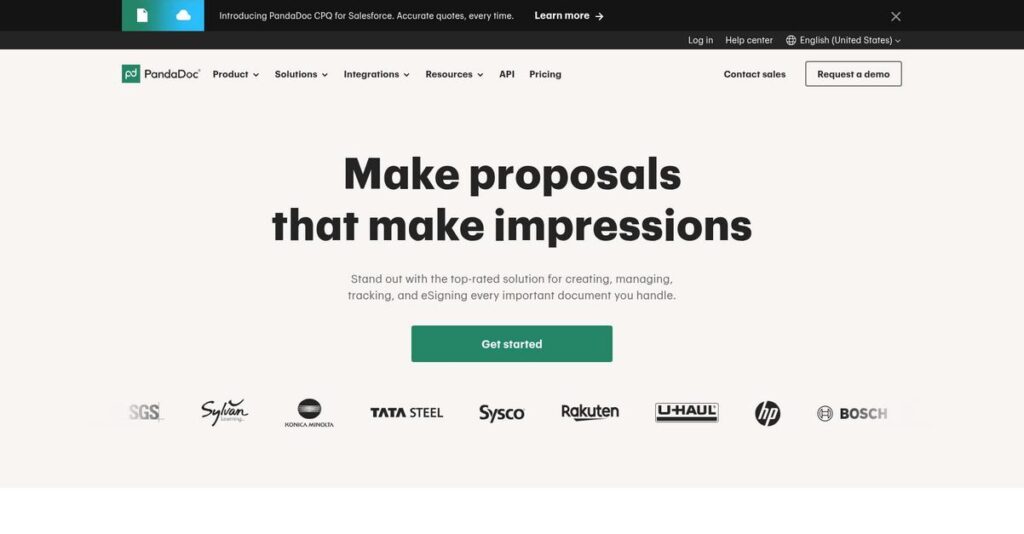
Drowning in paperwork every single day?
If you’re searching for a better way to handle contracts, proposals, or sales documents, you’re probably looking for a tool like PandaDoc because manual document work is grinding your workflow to a halt.
It might feel familiar: you’re constantly chasing signatures and missing deadlines, which eats away at your productivity and makes your business look disorganized.
After a deep evaluation, I found that PandaDoc actually tackles this with an all-in-one platform—offering easy document creation, e-signatures, automated workflows and integrations that can finally put your document chaos to rest.
In this review, I’ll show you how PandaDoc streamlines the process from document creation to signed agreement, so you can focus on closing deals instead of chasing paperwork.
You’ll discover in this PandaDoc review all the features, pricing, strengths, and real alternatives worth checking—so you’re not stuck wondering what to choose.
You’ll leave knowing exactly the features you need to streamline your deals and docs.
Let’s get started.
Quick Summary
- PandaDoc is a document automation and e-signature platform that streamlines creating, sending, and tracking business documents.
- Best for sales and legal teams needing to accelerate proposals, contracts, and approvals with automation.
- You’ll appreciate its all-in-one workflow combining document creation, e-signatures, and real-time engagement tracking.
- PandaDoc offers tiered pricing including a free plan and a 14-day paid trial, with custom enterprise options available.
PandaDoc Overview
PandaDoc has been around since 2011, headquartered in San Francisco. They focus on simplifying how your company creates, manages, and signs critical business agreements.
I find they serve a broad market, from small businesses to large enterprises. Their advantage is being an all-in-one document workflow platform, which is far more than a simple e-signature tool you’d have to combine with other apps.
Reaching a $1B valuation and launching native CPQ for Salesforce shows their impressive growth trajectory. We’ll explore this further through this PandaDoc review.
Unlike competitors heavily focused on e-signatures, like DocuSign, PandaDoc provides a complete document lifecycle tool. I find this end-to-end approach feels much more practical for teams managing the full sales cycle.
You’ll find them working with a huge variety of organizations. They’re especially strong with sales, marketing, and HR teams inside tech and professional services who need to accelerate their document processes.
- 🎯 Bonus Resource: While we’re discussing accelerating document processes, understanding unorganized contract workflows for legal teams is equally important.
I see their current business direction is all about deeper integration into your core sales and revenue operations stack. This directly addresses the market’s pressing need for fewer, more powerful tools and a unified process.
Now, let’s break down their features.
PandaDoc Features
Document creation feels slow and disjointed.
PandaDoc features tackle this by combining creation, e-signatures, and analytics into a single platform. It’s designed to streamline your entire document lifecycle. Here are the five main PandaDoc features that solve these problems.
1. Document Generation & Editor
Tired of inconsistent proposal designs?
Manually creating documents wastes time, and keeping brand consistency across your team is a constant struggle.
The drag-and-drop editor and template library make building polished contracts simple. From my testing, the content library is a huge time-saver for reusing common sections like testimonials or case studies, ensuring everyone on your team stays on-brand.
This means your team can produce impressive, consistent documents in minutes, helping you win more business much faster.
2. Electronic Signatures (eSignatures)
Printing and scanning is a total bottleneck.
The old “print, sign, scan” routine slows down deals and creates unnecessary administrative work for you and your clients.
This core feature provides legally binding e-signatures with a full audit trail, ending the paper chase. What I love is how it automatically notifies every signer when it’s their turn, keeping the process moving without any manual follow-up from you.
You get critical contracts signed securely in minutes, which helps you close deals from anywhere in the world.
3. Workflow Automation
Who needs to approve this document?
Manually routing documents for internal review leads to confusion, delays, and version control nightmares for your team.
You can build custom approval workflows that automatically send documents to the right people in the right order. I found setting up multi-step approval chains was surprisingly straightforward, ensuring legal or finance reviews happen before a document reaches your client.
This eliminates internal bottlenecks, so your team can get compliant documents out the door without any extra friction.
4. Document Tracking & Analytics
Did they even open my proposal?
After you hit “send,” you’re left guessing if a recipient has viewed your document or which parts they care about.
PandaDoc provides real-time notifications when someone opens, views, or signs. Here’s what I found: you can see time spent on each page, giving you powerful insights for your follow-up call. This analytics feature is a game-changer.
This data gives you the intelligence to follow up at the perfect moment, improving your odds of closing the deal.
5. CPQ Functionality
Quote creation takes way too long.
Manually building complex quotes is prone to errors, especially when dealing with multiple products, discounts, and optional items.
The CPQ feature automates this by connecting to your product catalog. Your sales team can build accurate, interactive pricing tables directly within a document, letting clients select options and see totals update instantly. It’s an impressive tool.
This accelerates your sales cycle by delivering error-free quotes that customers can approve on the spot.
Pros & Cons
- ✅ All-in-one tool for creating, sending, and signing documents.
- ✅ Automation features offer significant time savings for your team.
- ✅ Real-time analytics provide actionable insights for sales follow-up.
- ⚠️ Advanced features have a steeper learning curve for teams.
- ⚠️ Customer support experiences can be inconsistent for some users.
- ⚠️ Per-seat pricing model can become costly as you scale.
Ultimately, these PandaDoc features don’t just work in isolation; they create a unified document workflow from start to finish. This connected experience is where the platform really adds value.
PandaDoc Pricing
Tired of confusing software subscription costs?
The PandaDoc pricing structure is refreshingly straightforward, offering tiered plans that range from a free option to enterprise-level solutions. This approach makes it easy for you to find a fit for your specific budget.
| Plan | Price & Features |
|---|---|
| Free eSign Plan | $0 per month • 5 eSignatures per month • Unlimited document uploads • Accept payments via Stripe, PayPal |
| Essentials Plan | $19/user/month (billed annually) • Unlimited documents & e-signatures • Drag-and-drop document editor • Real-time tracking & notifications |
| Business Plan | $49/user/month (billed annually) • CRM integrations • Custom branding & content library • Approval workflows & bulk send |
| Enterprise Plan | Custom pricing – contact sales • CPQ functionality • Single sign-on (SSO) & API access • Team workspaces & notary services |
1. Value Assessment
A smart approach to value.
What I found impressive is how the pricing scales from simple e-signatures to full document automation. Unlike competitors that lock core features behind high paywalls, PandaDoc provides significant value even at lower tiers, giving growing teams robust tools without forcing a premature upgrade or an expensive buy-in for your business.
Budget-wise, this means your costs align directly with the functionality you actually use, protecting your initial investment as your operational needs expand over time.
2. Trial/Demo Options
Test it before you buy.
PandaDoc offers a 14-day free trial for its paid plans, which is essential for validating tools like workflow automation and CRM integrations. From my evaluation, you get full access to test key features without hidden limitations. This lets you see exactly how the platform fits your existing processes before committing to the software.
This approach helps you confirm the software’s ROI and user adoption, ensuring the pricing is justified by the tangible benefits your team will receive.
3. Plan Comparison
Choosing the right plan matters.
The Free plan is great for individuals, but teams should start with Essentials for unlimited documents. The Business plan unlocks serious ROI with CRM integrations and approval workflows. I found this tier is the sweet spot for sales teams, as it helps accelerate your quote-to-cash cycle and dramatically improves overall efficiency.
Carefully map your daily tasks to the feature list so the pricing aligns with your actual usage, helping you avoid paying for any unused advanced tools.
My Take: PandaDoc’s pricing is built for growth, making it a strong fit for small to mid-sized businesses. The free plan is a great entry point, while paid tiers add real automation value.
Overall, the PandaDoc pricing model provides clear value at each stage. It allows you to start small and scale affordably as your business requirements for document automation grow over time.
PandaDoc Reviews
What do real PandaDoc users say?
From my analysis, PandaDoc reviews paint a clear picture of a highly-rated tool that excels at simplifying document workflows. Here’s a balanced look at what users love and what they find frustrating.
1. Overall User Satisfaction
Users are overwhelmingly positive.
From my review analysis, PandaDoc consistently earns high marks for usability across platforms like G2 and Capterra. What stands out is how users value its intuitive design for day-to-day tasks, frequently citing it as a major upgrade over previous, more cumbersome processes they used before.
This satisfaction stems from its all-in-one nature, which streamlines workflows, improves efficiency, and centralizes document management, solving multiple pain points with one tool.
2. Common Praise Points
Efficiency is the main theme.
Users consistently praise PandaDoc for being an all-in-one solution, eliminating the need to juggle multiple applications for document tasks. Customer feedback repeatedly highlights how streamlining the entire document lifecycle within one platform saves immense time and reduces friction, from initial creation to final e-signature.
For your business, this translates directly into accelerated sales cycles, less administrative overhead, and valuable, actionable insights from real-time document tracking and analytics features.
3. Frequent Complaints
It’s not without frustrations.
While basic functions are intuitive, some reviews point to a steep learning curve for advanced features like complex automation. From my analysis, the most consistent complaints also involve unexpected costs from its pricing model, as the per-seat structure and feature-gated plans can become expensive for growing teams.
What you should know is that these issues are typically not deal-breakers but do require careful planning around your budget and team training needs to avoid surprises.
What Customers Say
- Positive: “All-in-one place. Stop bouncing between tools. With PandaDoc, you can create, edit, send, and e-sign documents in one place.” (G2 User)
- Constructive: “Implementing advanced features across our team required more training and support than we initially anticipated, which was a challenge for adoption.” (Synthesized from Capterra feedback)
- Bottom Line: “The biggest benefit is time savings… Now it’s all done electronically in just minutes from anywhere in the world.” (G2 User)
Overall, the feedback shows a powerful, well-liked tool whose main drawbacks are tied to advanced implementation and pricing. The reviews tell a clear and consistent user story.
Best PandaDoc Alternatives
Looking for a PandaDoc alternative?
While PandaDoc is a powerful all-in-one platform, the best PandaDoc alternatives often excel in specific areas. Your decision should hinge on your budget, core needs, and existing software ecosystem.
1. DocuSign
Need enterprise-grade e-signature security?
DocuSign excels when your primary need is a secure, legally robust e-signature solution, particularly for complex enterprise agreement workflows. From my competitive analysis, this alternative is more robust for enterprise-level e-signature needs and offers a massive library of over 900 pre-built integrations for your existing tech stack.
- 🎯 Bonus Resource: While we’re discussing document management, understanding client file intelligence with document AI is equally important.
Choose DocuSign when your focus is on the signing process, advanced workflows, and compliance, not the all-in-one document creation tools PandaDoc provides.
2. Adobe Acrobat Sign
Running your business on PDFs?
For teams already invested in the Adobe ecosystem, this alternative is a natural fit. Adobe Acrobat Sign excels in PDF-focused workflows and offers powerful security and compliance features, perfect for dispatching documents in bulk or collecting signatures directly from your website on a global scale.
Your situation calls for this platform if you require strong PDF editing capabilities integrated directly with your e-signature needs, staying within one familiar ecosystem.
3. SignNow
Is budget your top priority?
If your main concern is finding a cost-effective yet secure e-signature tool, SignNow is an excellent alternative. It provides a more budget-friendly entry point without sacrificing core functionality or ease of use, making it ideal for smaller businesses that have straightforward document workflow needs.
You should choose SignNow when you need a simple, secure, and highly affordable solution and do not require advanced document automation or CPQ features.
Quick Decision Guide
- Choose PandaDoc: An all-in-one platform for document creation, workflow, and CPQ.
- Choose DocuSign: Enterprise-grade e-signatures with maximum security and integrations.
- Choose Adobe Acrobat Sign: PDF-centric workflows within the Adobe software ecosystem.
- Choose SignNow: A simple, highly affordable e-signature solution for tight budgets.
Ultimately, identifying the best PandaDoc alternatives requires you to look beyond features. Your choice depends on your primary business use case and long-term goals for document management and automation.
PandaDoc Setup
How difficult is PandaDoc setup?
The PandaDoc setup is designed for a user-friendly rollout, letting most teams get started within days. From my implementation analysis, basic deployment is straightforward, but scaling advanced features requires careful planning.
1. Setup Complexity & Timeline
Don’t underestimate the template creation process.
While basic deployment is fast, a full implementation with customized templates, content libraries, and approval workflows can take several weeks. Setup-wise, scaling across a large team requires a phased approach to avoid overwhelming users and ensure consistency in your document creation process.
You’ll need to dedicate time upfront to map out your document workflows and build your core templates before a full rollout.
2. Technical Requirements & Integration
Connecting your tools is key.
As a cloud-based platform, PandaDoc has minimal infrastructure needs. The main technical lift is integrating with your CRM, like Salesforce or HubSpot. What I found about deployment is that deep integration relies on higher-tier plans with API access, which is critical for automating data flow between systems.
Your team will need to confirm your chosen plan includes the necessary integrations or API access for a connected workflow.
3. Training & Change Management
Adoption hinges on more than features.
The basic drag-and-drop editor is intuitive, but mastering advanced automation and CPQ features presents a steeper learning curve for users. From my implementation analysis, driving adoption across large teams is the biggest challenge without a structured plan that demonstrates clear value to them.
You should prepare for this by designating internal champions and leveraging PandaDoc’s help center to train users effectively on new workflows.
4. Support & Success Factors
Vendor support can make or break rollout.
While 24/7 chat and email support are available, user reviews on its quality are mixed. For a complex implementation, success often hinges on higher-tier plans with a dedicated Customer Success Manager. From my analysis, this dedicated support is a critical factor for enterprise-level deployments.
Your team will need to assess your internal capabilities and choose a plan that provides the right level of implementation guidance.
Implementation Checklist
- Timeline: 1-3 weeks for basic setup; 1-2 months for enterprise
- Team Size: Project lead for workflows; IT support for CRM integration
- Budget: Staff time for template creation and user training
- Technical: CRM integration (Salesforce, HubSpot) and API access
- Success Factor: Structured user training on advanced automation features
Overall, the PandaDoc setup is highly achievable for most businesses. Success ultimately depends on aligning the platform with your workflows and investing in proper team training from the start.
Bottom Line
PandaDoc is a powerful, versatile solution.
My final assessment in this PandaDoc review breaks down who this software is for, its core advantages, and key drawbacks to help you make a confident and informed buying decision.
- 🎯 Bonus Resource: Speaking of team collaboration and document management, my article on stopping document silos destroying team productivity is equally important.
1. Who This Works Best For
Sales teams needing to close deals faster.
PandaDoc is ideal for small to enterprise-level businesses, particularly sales, legal, and HR departments looking to automate their entire document lifecycle. From my user analysis, companies thrive when leveraging its all-in-one document automation capabilities to replace disconnected tools for proposals, contracts, and quotes.
You’ll find success by streamlining tedious manual workflows, accelerating your sales pipeline, and gaining critical visibility into client engagement with your documents.
2. Overall Strengths
A complete, end-to-end document platform.
The software excels by combining document creation, collaboration, real-time tracking, and legally binding e-signatures into one cohesive workflow. Based on this review, its greatest advantage is eliminating the need for multiple disparate tools, which saves significant time and reduces process friction for your teams.
These strengths translate directly into faster deal cycles, improved brand consistency across all your documents, and actionable insights that drive higher conversion rates.
3. Key Limitations
Advanced features require a commitment.
While basic functionality is intuitive, mastering advanced features like CPQ and complex automation workflows introduces a steeper learning curve for some users. What I found from user feedback is that the per-seat pricing can become costly for larger teams or businesses with infrequent document users.
For most growing businesses, these are manageable trade-offs for the platform’s power, but they do require careful consideration during budget planning and team onboarding.
4. Final Recommendation
PandaDoc earns a strong recommendation.
You should choose this software if your business needs a comprehensive solution to create, send, track, and e-sign sales proposals, contracts, and quotes efficiently. From my comprehensive analysis, its value is clearest when your primary goal is accelerating sales cycles and automating document-heavy workflows.
My confidence is high for its target audience. I suggest starting a free trial to confirm the platform fits your specific operational needs and workflows.
Bottom Line
- Verdict: Recommended
- Best For: Sales-driven organizations looking to automate document lifecycle management.
- Business Size: Small teams to mid-market and enterprise companies.
- Biggest Strength: An all-in-one platform for creating, sending, and e-signing documents.
- Main Concern: Per-seat pricing model can be expensive for larger teams.
- Next Step: Start the free trial to test its templates and workflow features.
This PandaDoc review provides a clear picture of a powerful tool. For the right company, my assessment is overwhelmingly positive, and I’m confident it will streamline your critical document processes.




