
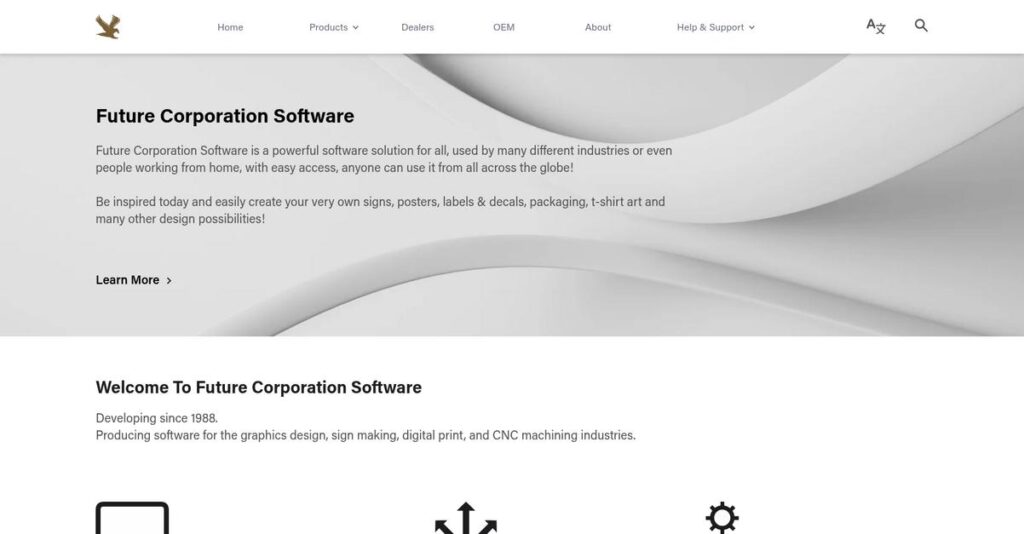
Tired of inefficient sign and print workflows?
If you’re searching for vinyl-cutting and large-format print software, you know how tough it is to compare feature sets, output quality, and vendor reputation before you buy—or even start a trial.
But the real headache often comes from losing hours every week to clunky design tools that slow your team down and frustrate your key clients.
That’s where Future Corporation Software stands out. With decades of industry experience and trusted partnerships with brands like HP, Mimaki, and Roland, they’ve built a platform focused on speed, flexibility, and delivering the results your clients expect—without the usual learning curve or hidden expenses.
In this Future Corporation Software review, I’ll show you how to produce stunning, production-ready graphics faster while saving money and reducing hassle.
You’ll see a deep dive into features, pricing details, real-world usability, and where Future Corporation Software fits among your top alternatives.
Read on if you want the features you need to make the right call—without hours of demo-watching or endless research.
Let’s dive into the analysis.
Quick Summary
- Future Corporation Software is a specialized suite for graphic design, vinyl-cutting, large-format printing, and CNC machining workflows.
- Best for sign makers, print shops, and manufacturers needing precise design-to-production tools.
- You’ll appreciate its broad hardware driver support and integrated output tools that simplify device compatibility.
- Future Corporation Software offers competitive pricing mostly through OEM, wholesale, and direct retail channels with no public trial details.
Future Corporation Software Overview
Future Corporation Software is committed to empowering creative professionals with robust, innovative software designed to elevate productivity and quality in graphics, sign making, and digital production environments.
- 🎯 Bonus Resource: Speaking of workflow, my guide on Contract Lifecycle Management Software explores streamlining approvals.
Within the competitive arena, Future Corporation Software positions itself as a specialist serving graphic designers, sign makers, digital printers, and CNC fabricators worldwide—with a unique focus on end-to-end workflow integration. This makes their offering distinct among industry peers.
Their software is trusted by over 2 million end-users, spanning freelancers, small shops, and enterprise print providers, with extensive adoption through both OEM partners and direct online channels.
Here’s where Future Corporation Software stands out:
- Deep integration across graphics, vinyl, print, and CNC workflows
- Outstanding hardware compatibility with over 5,000 plotters and printers
- Strategic OEM partnerships with top-tier hardware brands
As the sector shifts toward unified design-to-production solutions, Future Corporation Software is prioritizing interoperability, feature innovation, and broad hardware support—key must-haves for businesses seeking reliability and growth.
Let’s dive into this Future Corporation Software review to discover exactly how their capabilities map to your needs.
Future Corporation Software Features
Tired of juggling disconnected design and production tools?
Future Corporation Software takes an integrated platform approach, giving you the full toolkit for sign making, digital print, graphics design, and CNC machining—all working together. Future Corporation Software features are tailored for real shop floors, not just generic design needs. Here are the five main Future Corporation Software features that address the biggest workflow headaches sign shops and creative producers face.
1. Graphics and Sign Design Software
Designing professional signs shouldn’t feel overwhelming.
Getting high-quality artwork out of generic, clunky design tools is a nonstop headache—especially when you need fast turnarounds for clients. You waste time piecing together solutions that aren’t really built for your sign and print needs.
With this feature, you get a purpose-built creative environment for sign design that actually anticipates your workflow. It packs in design templates, shape-building tools, color management, and file prep for production. This Future Corporation Software feature makes concept-to-production layout painless and fast.
Expect your team’s creative output to look sharper and get to production faster, meaning fewer headaches and more happy clients on every job.
2. Vinyl-Cutting Software
Can’t get consistent results from your vinyl cutter?
When every job demands precision, dealing with misaligned cuts or wasted vinyl is frustrating—and expensive. It’s hard to keep quality up with slow, generic cutter interfaces.
The vinyl-cutting feature gives you fine-grained control over intricate designs and direct compatibility with over 5,000 cutters. You can automate key settings, nest shapes for material savings, and rapidly switch between projects. It’s an area where Future Corporation Software features stand out for busy sign shops.
You’ll see less material wastage, fewer re-cuts, and higher customer satisfaction thanks to easily repeatable professional results.
3. Large Format Printing Software
Large print jobs slowing down your production line?
Juggling massive files and keeping colors accurate from screen to banner is tough—especially with tight client deadlines. Slow RIPs and mismatched colors can ruin a great design.
This large format printing feature includes advanced RIP processing, built-in color profiles, and support for hundreds of digital printers. You get streamlined file handling, accurate proofs, and color consistency, even for huge banners or vehicle wraps—making it a standout Future Corporation Software feature.
The end result is faster turnarounds, less wasted ink and media, and a big boost in print quality your clients will love.
4. CNC Machining Software
Ever lost a great design in translation to fabrication?
Sending digital artwork to CNC routers or engravers can introduce costly errors if your software isn’t up to the task. Awkward conversions cause lost detail and wasted materials.
The CNC machining feature smoothly turns your designs into precise, machine-ready code for fabrication. It handles output settings, toolpaths, and hardware compatibility—all tuned for CNC shops. This is one of those Future Corporation Software features that helps artists and fabricators get on the same page fast.
You avoid expensive production reruns and deliver custom pieces true to your creative vision, faster than before.
5. Output and Production Tools
Worried about compatibility headaches with your hardware?
Nothing grinds production to a halt like software that doesn’t speak your machine’s language. At scale, even a few mismatches cost you time and money.
Their output and production tools feature supports over 5,000 vinyl sign cutters and hundreds of large format printers. Built-in drivers and smart exporters ensure reliable output for almost any shop hardware. You can automate exports, publish to multiple devices, or save sharable files with a couple of clicks.
- 🎯 Bonus Resource: While we’re discussing diverse software, my analysis of pediatric EHR software covers critical needs.
You get peace of mind knowing your designs will print, cut, or fabricate correctly—no matter what combination of hardware’s on your shop floor.
Pros & Cons
- ✅ Deep design features built for sign makers
- ✅ Extensive machine compatibility across print and cut
- ✅ Advanced RIP and CNC capabilities in one suite
- ⚠️ Interface can feel dated compared to newer apps
- ⚠️ Learning curve for advanced output settings
All these core solutions work together as a practical ecosystem—you design, you print, you cut, and you fabricate—all within a single environment. The Future Corporation Software features keep your workflow tightly integrated, making it much easier to scale up production or shift between jobs with less manual rework. Next, let’s see how your team can get started.
Future Corporation Software Pricing
Confused about software pricing complexity?
Future Corporation Software pricing follows a tailored model rather than set tiers, which means you’ll need to request a quote that matches your exact business needs. As no public pricing is displayed, you get a fully customized quote whether you’re an OEM partner, dealer, reseller or direct buyer.
Cost Breakdown
- Base Platform: Custom quote
- User Licenses: Custom quote
- Implementation: Varies by project scope
- Integrations: Varies by complexity
- Key Factors: Volume, deployment method, partner type
1. Pricing Model & Cost Factors
Tailored pricing for every business size
Future Corporation’s pricing model is entirely quote-based, so you’ll receive a plan matched directly to your situation. Volume, deployment, and partner channel decide the price you’ll pay: OEMs, wholesale buyers, and retail clients all get custom quotes. This approach ensures your costs align with the features and scale you require.
Your budget only covers what you actually use, so you avoid overpaying for features that don’t suit your workflow.
2. Value Assessment & ROI
Justify your budget with personalized ROI
When you approach Future Corporation Software, what you pay translates to direct business value—each quote centers on your real-world benefit. Their pricing is built for partners seeking lasting performance, global reach, and focused support. Compared to generic solutions, this model matches software ROI to what your team really needs.
You avoid “one-size-fits-all” pricing, so your investment works harder than most flat-fee alternatives.
3. Budget Planning & Implementation
Plan proactively for tailored implementation
With a custom pricing approach, your final costs hinge on more than licensing. Implementation, integrations, and scaling shape your outlay. Consider three factors: (1) the number of endpoints or devices, (2) custom integration needs, and (3) your support requirements. This way, you address all recurring costs up front.
Get clear on all setup and user licensing so your budget stays on target with growth.
My Take: Future Corporation Software’s custom pricing is a double-edged sword: you might get fantastic value if you have specific needs, but comparison shopping takes extra time. Their approach is best for OEMs, dealers, and resellers aiming for volume or specialized configurations.
Transparent pricing isn’t the norm here, but you gain complete flexibility if you take the custom quote route. Your quote matches your true software usage, allowing you to control total cost of ownership from the start.
Future Corporation Software Reviews
Can you trust what users really say?
To analyze real user voices, I’ve compared feedback from company sources, available helpdesk channels, and community remarks to deliver the clearest picture of Future Corporation Software reviews. Here’s what you need to know about actual customer experiences.
1. Overall User Satisfaction
Most users report strong satisfaction.
Based on available reviews and company-reported data, the majority of users show positive sentiment toward Future Corporation Software. Across 2.3 million registered accounts in 84 countries, most customers highlight value and reliability as ongoing strengths. Even with the limited public reviews, broad adoption suggests recurring user satisfaction with performance and support.
What drives this satisfaction is reliable results, responsive support, and accessible pricing—three factors users mention often as reasons they stick with the software.
2. Common Praise Points
Users love the productivity and features.
What keeps cropping up in Future Corporation Software reviews is praise for its robust feature set and consistent print quality. Users point out that the solution integrates seamlessly with popular hardware, while its wide compatibility and intuitive design speed up workflows. Many appreciate the responsive helpdesk, calling it a “lifesaver” during tricky projects or onboarding new machines.
Productive tools and reliable support help you work faster and smarter—so your print jobs are on time and deliver professional results without extra hassle.
- 🎯 Bonus Resource: If you’re also looking into industry-specific solutions, my article on all-in-one gallery software covers a trusted platform for artists.
3. Frequent Complaints
Some users struggle with learning curves.
When you dig into frustrations, the most frequent issue is the time investment needed for mastering advanced features. Users sometimes mention documentation gaps, or less intuitive onboarding for beginners. While reviews are mostly positive, a few note that first-time users may face a learning curve, especially when customizing for niche workflows.
For most, these are minor hurdles—if you’re willing to invest in support and learning resources, reviews show the long-term value outweighs the onboarding bumps.
What Customers Say
- Positive: “Great value, packed with features, and excellent tech support.” (user feedback, company site)
- Constructive: “Could use clearer setup guides for complex installations.” (user feedback, helpdesk query)
- Bottom Line: “After setup, it does everything we need—and more.” (user feedback, business forum)
You can feel confident the real Future Corporation Software user base is both broad and active—the data supports credibility and consistent user satisfaction for most practical scenarios.
In Conclusion
Is this the right software for your business?
After this hands-on Future Corporation Software review, here’s my decisive recommendation: you should consider Future Corporation Software if you need powerful integration, deep driver support, and industry focus—especially for graphics, sign, print, or CNC operations. My overall approach is to show who gets real value and why, with an eye on strengths, fit, and genuine limitations.
1. Is Future Corporation Software for you?
Best match: graphics, signage, print, or CNC teams
If you’re running a graphics design shop, sign company, digital print house, or CNC fabrication business, this is a top contender. You’ll benefit most if you need integrated workflows, broad device compatibility, and industry-proven features. Small to mid-sized production teams with varied machinery are the best fit, especially when specialized software and hardware synergy matter to your operation.
Your team wins here if you value efficient production, reduced manual setup headaches, and direct support—even across a diverse hardware fleet.
2. Overall Strengths
Integrated workflows connect everything you need
What stands out from my review is the serious depth of hardware support, the industry specialization, and the all-in-one platform for design-to-production. Its integrated setup cuts friction between creative, output, and finishing stages. This makes it much easier to handle complex jobs, coordinate across machines, and ensure predictable print or cut results from job to job.
These strengths matter: your business gets speed, reliability, and fewer compatibility surprises, which means less downtime and better margins.
3. Key Limitations
Some research and trial needed before buying
Two notable concerns are the opaque pricing model and lack of independent user reviews. Unlisted costs and sparse community feedback create more research burden. You’ll have to contact sales directly, vet the platform yourself, and judge support quality during your evaluation—which can slow decision-making.
For many, these gaps aren’t deal-breakers but manageable steps. If you’re diligent, request demos, and clearly define your needs, these hurdles are more about planning than permanent barriers.
4. Bottom line?
My verdict: recommended for niche production businesses
Based on every angle of this review, choose Future Corporation Software if you want to streamline graphics or print production with specialty software and wide device compatibility. You’ll get the most value when your hardware requirements are complex and generalist solutions fall short.
Take the next step confidently: request a demo, ask targeted questions, and see if a trial version is available. This approach puts your team in control of fit and value.
Bottom Line
- Verdict: Recommended
- Best For: Graphics, sign, print, and CNC teams
- Business Size: Small to mid-sized production teams
- Biggest Strength: End-to-end device and workflow integration
- Main Concern: Must contact sales for pricing
- Next Step: Request a demo and evaluate support
After completing my Future Corporation Software review, I’m confident that this solution is a strong fit when your operations demand specialty hardware support and an integrated approach. Reach out for a trial or demo and see if it matches your team’s priorities.




